Configure PAJ PET Finder 4G for Traccar


I can already control the tracker, but only with a few commands. I was able to reset the server, and I was able to reset the APN. I’m receiving data.
The following commands worked:
password515118 654321 password ok
IP domain port SET OK
APN,654321,domain SET OK
format RESTORE FACTORY OK
G123456# Google Maps location link
CXWL Network/firmware report
SF → SF OK
CF → CF OK
move654321 500 → move ok!
speed654321 080 → speed ok
CQ → SYSTEM RESET OK
But that’s all I could get to work. Also, the tracker only transmits a location signal every three minutes. The tracker is actually supposed to transmit much more frequently; it should be able to trigger alarms (light sensor, vibration, etc.). However, none of the commands for that work. Either it stays silent or it says SET FAIL.
A tracker that only reports its position every three minutes (until it goes to sleep) isn’t really useful.

@schntz:
The interval can be set, e.g. to 5 seconds: FREQ,Password,5
@Klaus,
thank you. The tracker replies with "SET OK", but the interval stays exactly at 180 seconds.
interval,password,30" sets the interval from 180 to 30
The question remains: what does "FREQ,password,number" do?
"sleep,password,0" turns off deep sleep.
Unfortunately, though, I have no idea how to access the other commands. So far, I've figured everything out just by trial and error. I don't have a way to access the firmware.
Maybe someone else has better options than I do?
At least I know that I can use it to control both the Compact Finder and the Allround Finder. My PAJ Allround Finder 4G is from 2022, and my PAJ Compact Finder 4G is from 2025.
It looks like some of the PAJ Pet Finder’s commands might also work with these devices. However, the PAJ Pet Finder has completely different functions than, for example, the Compact Finder or the Allround Finder.
@schntz:
The heartbeat interval is defined using 'interval,Password,Seconds' and
the interval for GPS coordinates is defined using 'FREQ,Password,Seconds'.
I don't know the data sent by the finder; I'm using the demo traccar server. For testing purposes, I set FREQ to 5 seconds and interval to 10 seconds. The server's webpage then receives data every 5 seconds, alternating between battery status and GSM network status.
The commands seem to work on all PAJ devices except for device-specific commands, e.g., light on/off, sound on/off.
I also have two Pet Finders and two Easy Finders here that I've switched to the traccar server.
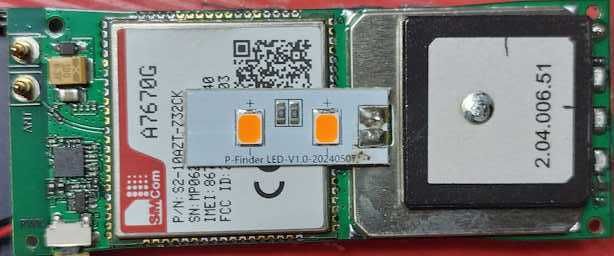
You can find a picture of the Easy Finder in one of my previous posts.
It seems you can also send commands via the data connection. I haven't tested it yet, though.
GPS4PETS posted the following here a year ago:
"Found the following for controlling light and sound using the H02 protocol:
Lights on
*HQ,YYYYYYYYYY,X2,062108,1#
Lights off
*HQ,YYYYYYYYYY,X2,062108,0#
Sound on
*HQ,YYYYYYYYYY,X1,062108,DURACTION_IN_SECONDS#
Sound off
*HQ,YYYYYYYYYY,X1,062108,0#
YYYYYYYYYY = Your Tracker ID"
My suggestion would be: You configure the IP address of one of the traccar demo servers, register your device there, and look at the log files.
And yes, you're right. It's very tedious to get the working SMS commands. But the PAJ service probably won't be of any help there. The best solution would be to download the PAJ firmware somewhere and then analyze it.
And if you find any other working SMS commands, please post them here.
Today I received the Salind 08 4G OBD: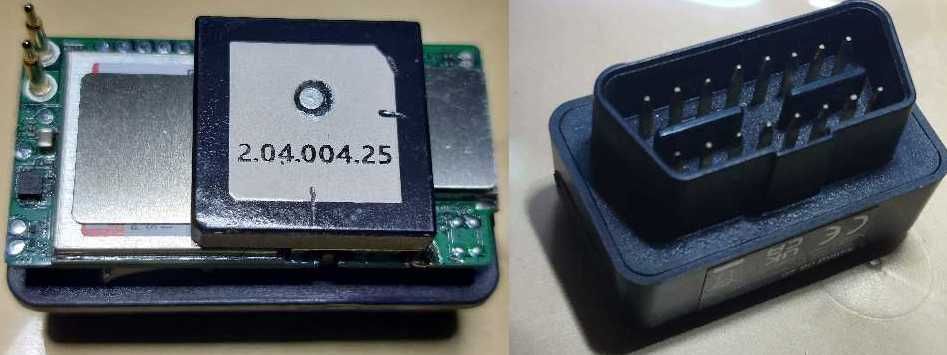
The blue and yellow LEDs are located behind the SIM card cover.
The following SMS commands work:
- reset:
format→ no response - set server:
IP 188.245.151.94 5013→ SET OK - set interval:
FREQ,«PASSWORD»,SECONDS»→ SET OK - change password:
password,«OLD»,«NEW»→ OK
The default password is515118. - show network status:
CXWL→ VER:SDK 1.011.042,SIM:1,CGREG:5,NETMODE=GSM,Online,...
Afterwards, the finder can be registered with its ID on the Traccar demo server.
I haven't tested the alarms yet.
One more note: you can use the AT command to disable and re-enable SMS reception:
- disable SMS:
AT+CNMI=0,0,0,0,0 - enable SMS:
AT+CNMI=2,1,0,0,0
This can be useful if you continue using the original SIM card.
Waking up the Finder from standby via SMS will then no longer be possible.
@schntz
hey
you can control it using sscom