Device link sharing


You don't need any configuration. I'm not sure what the first issue is, but the second means that the device is already shared.

Have same problem. First error i got when simply press "Share device" link. Can we get some tips how tio use this feature? Thx.
What browser are you using? Could be some browser problem.

Same error..

I have also got same error..
I use Chrome Version 120.0.6099.217 (Official Build) (64-bit)
Anything special about the user? Maybe read-only or something else?
I tried latest Firefox and Opera, same problem.
At first I thought that the problem was that the user was entered without email, but then I tried to connect to other users with entered email and several devices, but I could not use this function. Can you explain how it works? What should happen after clicking "Share device"?
It creates a temporary user and gives you a link with a token for that user. You should check the API response to see what you get.

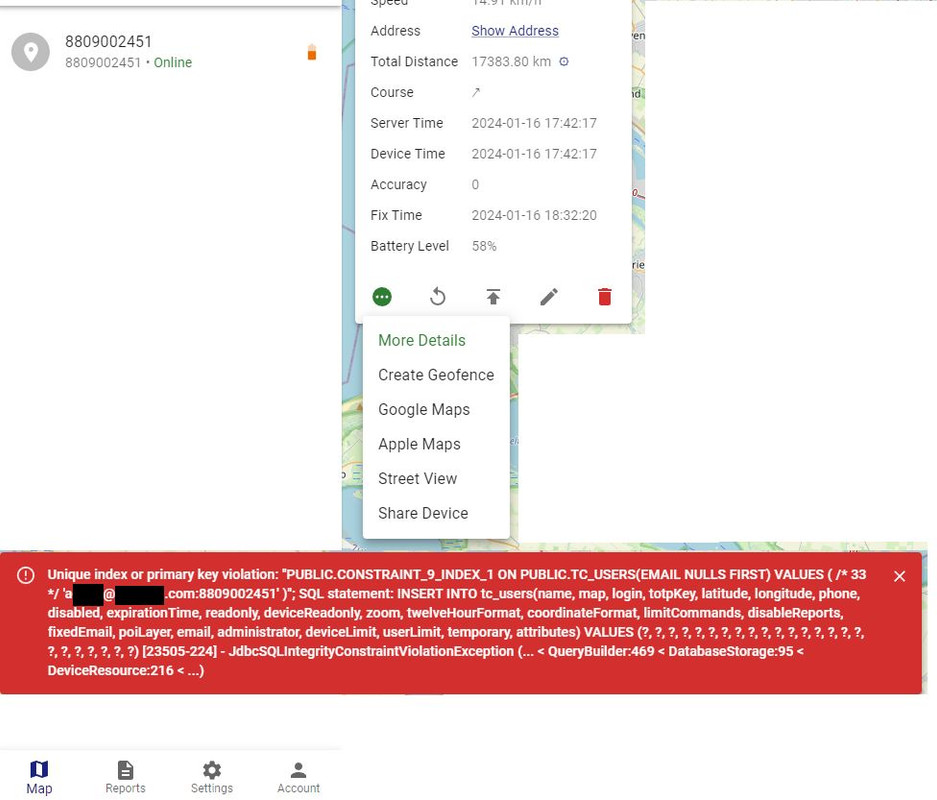
I also got the first error mentioned above in the image.
I used unmodified traccar 5.11 traccar Other: https://github.com/traccar/traccar/releases/download/v5.11/traccar-other-5.11.zip
With default H2 database.
When i tried to create the link again from the popup window in google chrome it throws this error.
When i check Settings / Users though i can see that a user for that link is created.
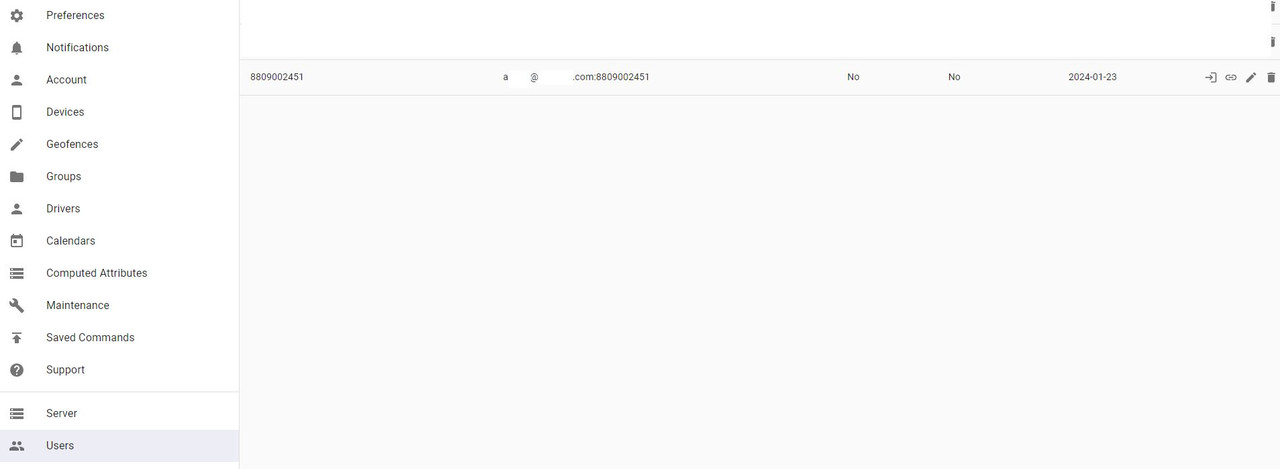
I wonder though where do you actually get the link / url that you can send to someone else ?
And can you clarify how an ordinary user gets that link? Is it some kind of popup, via clipboard or sent via email? As much as I try on different browsers, I get an error everywhere. :( I got this error once in Firefox.
fedingas It should be copied into clipboard. Looks like your browser does not support it.
Good morning, I was trying to use the new "device sharing" function but when I click on this option it shows me an error "Traccar Device Link Sharing 1.png" when I close the tab and click on the option again it gives me another error "Traccar Device Link Sharing 2.png" I couldn't find that some configuration should be added for this option, any idea if a configuration needs to be made for this option or about this error
https://drive.google.com/file/d/1ligbwfOi93nozm8UoqNvWju4pq5Ez9xZ/view?usp=sharing
https://drive.google.com/file/d/1liGaKXG1u5K2fzUHB8h1DO5VDUI9Y9P-/view?usp=sharing