Docker geocoder Traccar 429


If you run it on the same vps should you not use the local server ip with your traccar server on the same vps ?
<entry key='geocoder.url'>http://127.0.0.1:3000/reverse</entry> ?

The error means that you hit the limit.
You don't need to use IP.
what is the solution? do we need to raise rate/second and rate/day?
Probably.
my 2nd question. how to change password login geocoder-traccar ?
right now
user = admin
password = admin.
In upper left corner web login. 405 times login. :(
Cause I just login 5-7 times
I didnt see option to change password
Currently there's no way to change it. You can open the database file and replace hash there or remove user and recreate it.
ok thanks
when first login to geocoder traccar as admin, I see Menu to add more user. (sorry, do I need create new topic)
but right now It disappear. like in the picture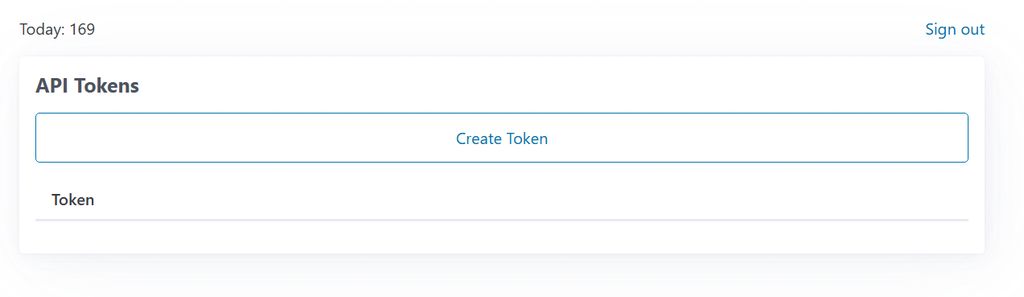
I am afraid someone login to my geocder-traccar and create many user without our permission.
what database that geocoder-traccar used? so we can recreate new admin and password
It's a simple text file.
thanks anton. it works
Hi.. I install docker geocoder traccar + docker Traccar 6.14.5 in the same vps with nginx
AI help me till finish installation.
all looks like normal when we test
https://abc.com/reverse?lat=-6.200000&lon=106.816666&key=API_KEY, it show the addressbut when we use in traccar. the address didnt show up (rate/second = 5, rate/day=10.000)
traccar.xml :
<entry key='geocoder.enable'>true</entry>
<entry key='geocoder.type'>nominatim</entry>
<entry key='geocoder.url'>https://abc.com/reverse</entry>
<entry key='geocoder.key'>******</entry>
<entry key='geocoder.onRequest'>false</entry>
<entry key='geocoder.ignorePositions'>false</entry>
<entry key='geocoder.reuseDistance'>10</entry>
when we
Do we miss something?
1 more question. how to change password login geocoder for admin ?
thanks alot