¿How to include ID number, phone, vehicle model and basic info on my reports?


Which report are you talking about?
daily trip reports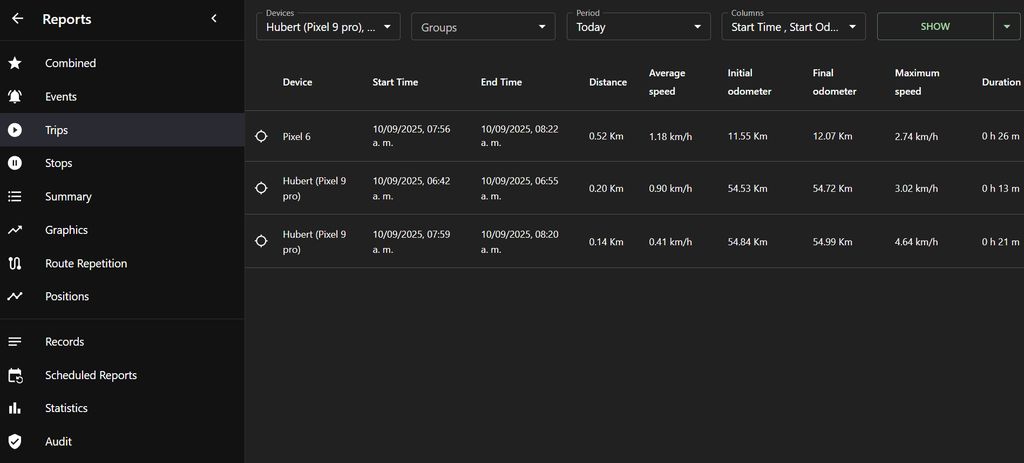
Trip report doesn't include that additional information. You would need to change the code if you want to include it.
Okay, and can I modify the code even if I have a paid plan? Where do I go to change the code?
Depends on what plan it is. If it's a server, then yes, we can upload a customization for you.
Yes, Anton. I'm running a server for 200 vehicles. Could you help me with this? I'd like the .csv trip reports to include the following additional fields: name, identifier, group, vehicle model, and contact information. Also, I need the columns for start time, initial odometer, end time, final odometer, distance, average speed, maximum speed, duration, and fuel consumed.
Email support.
Hi there!, can anyone help me with the following:
I've been exporting my reports to Excel from the reports tab on the web server, but when I do so, the information I get doesn't include the device identifier, vehicle model, or contact details. Does anyone know how to export reports with the full (extra) information associated with each device?
Also, when I export to Excel from the reports tab, the .csv file only contains trip data for the first device I selected, not for all of them. Do I need to generate a separate report for each device, or is there a way to export all the information that appears on the reports tab screen?
I appreciate your support