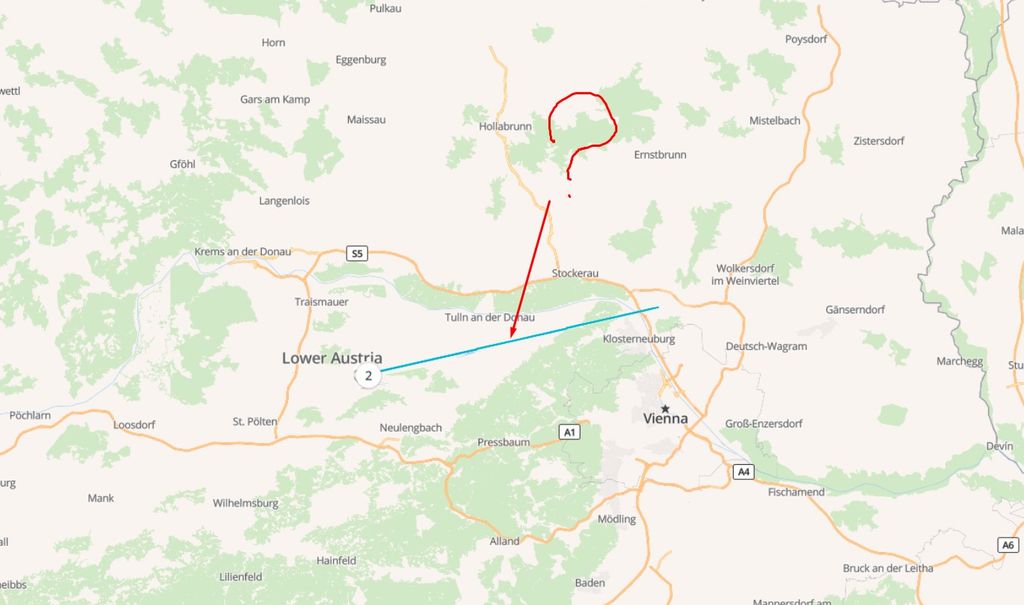
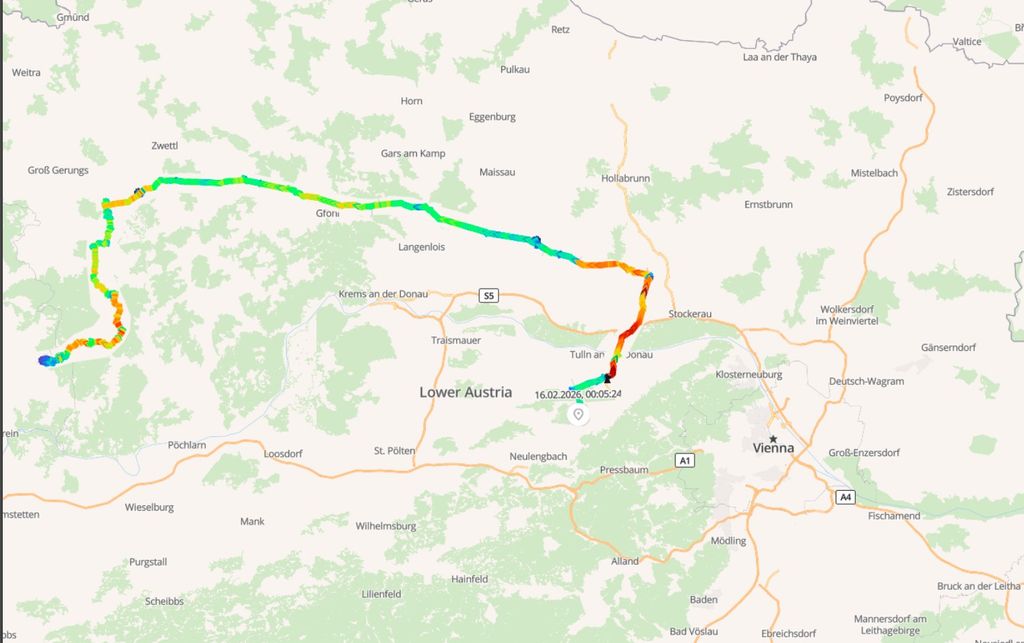
Live Map shows an incorrect straight


Possible reasons I can think of:
- No WebSocket connection
- Positions are not coming in the right order

I have the same problem for a long time...please if you want a solution share it with us
Have you done any troubleshooting?
Based on the console output in the screenshot, WebSocket appears to be working correctly.
The connection opens successfully and the client continuously receives WS MSG events containing position and device updates.
This indicates that the WebSocket upgrade is successful and real-time data is being pushed from the server.
Therefore, the issue is unlikely to be related to WebSocket connectivity.
Now I will check the order in which coordinates are received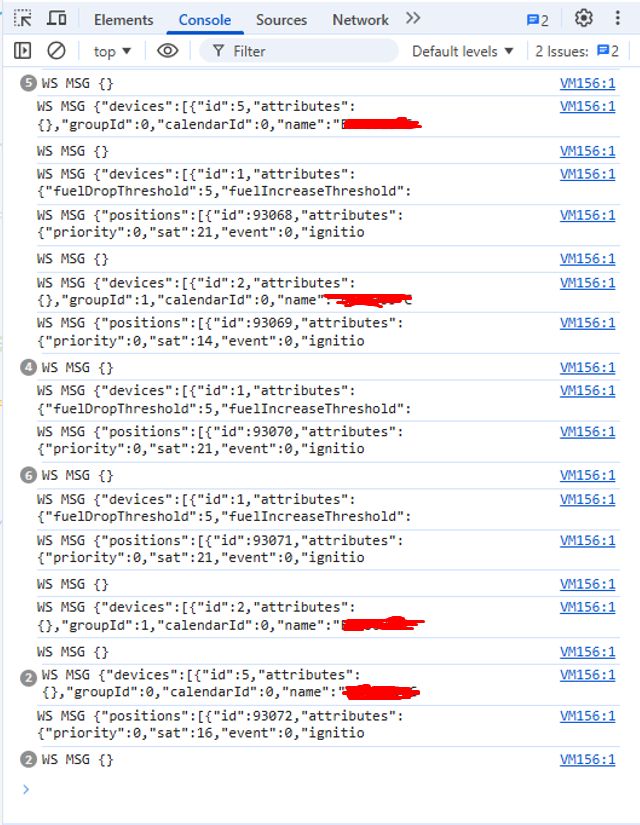
I investigated the issue further and would like to confirm whether I’m moving in the right direction.
WebSocket connection (/api/socket) is working correctly (status 101), and Live Map does receive position updates.
However, I noticed that in a single WebSocket push the positions array is not ordered by fixTime. For example, a newer position (21 Feb) can be followed by an older one (19 Feb) within the same message.
History displays correctly (since it is sorted by fixTime from the database), but Live Map appears to render points in the order received from WebSocket. This seems to be the reason for the incorrect straight line.
Am I analyzing this correctly?
If yes, what would be the recommended way to handle this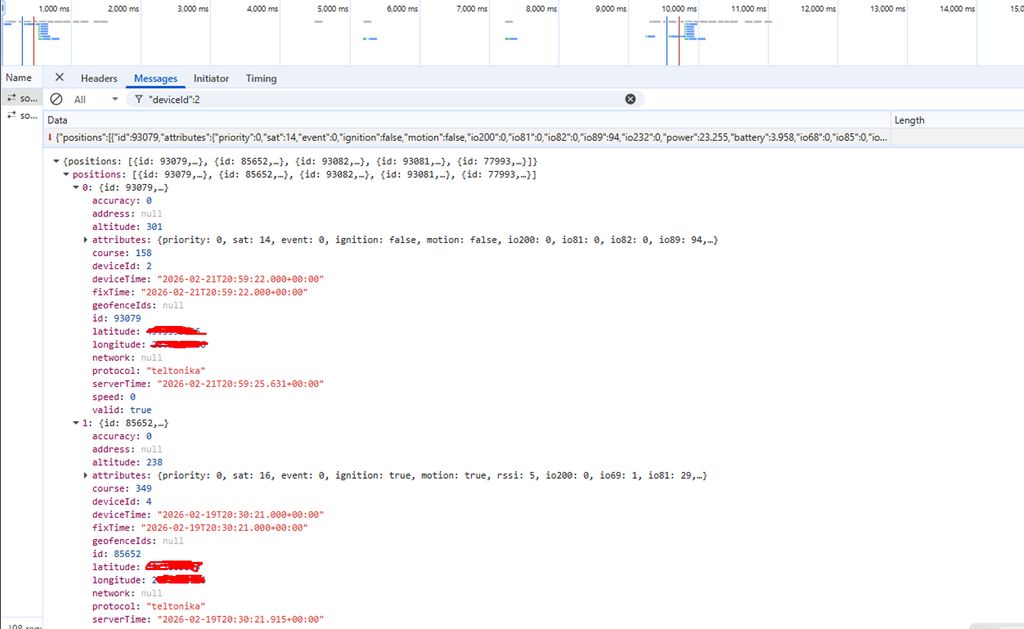
I changed the following setting in Preferences:
In Current Routes, I selected None instead of Selected Device.
Saved the settings.
After that, the straight line on the Live Map disappeared.
However, I’m not sure if this is the correct solution or just a workaround.
Am I moving in the right direction, or should this be handled differently (e.g., sorting positions by fixTime on the frontend/backend)?
None just disables the trail. If that's what you want, that's fine.
Live Map shows an incorrect straight line in the trail, while History displays the track correctly. Coordinates were verified — they are valid and received correctly. There is an inconsistency in trail rendering between Live Map and History. Please clarify the cause of this behavior and advise how to fix or mitigate it. The system worked correctly for a long time; the issue appeared only 1–2 days ago.