No street names in exported Excel file


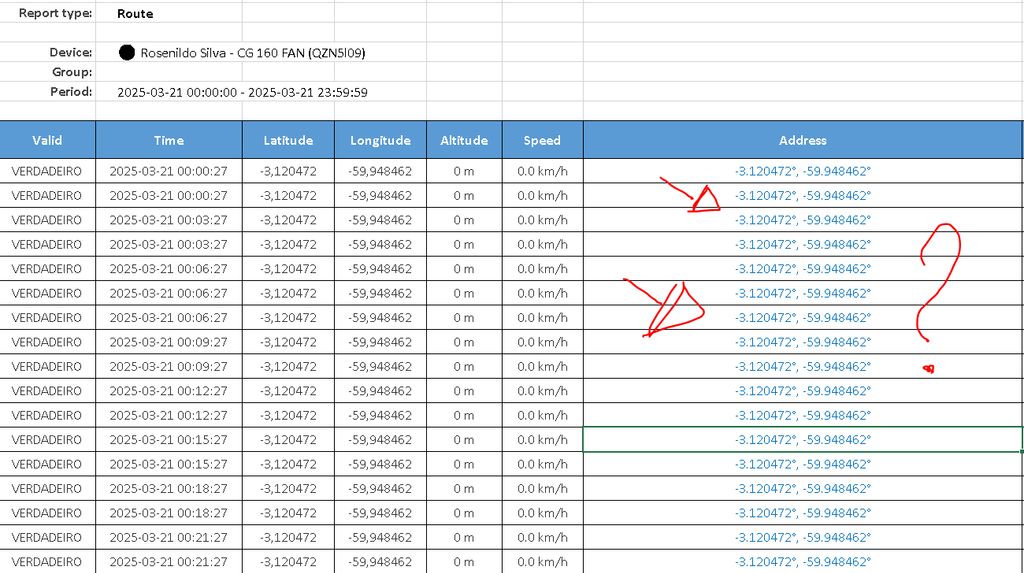
Route report? If you need addresses there, you have to enable automatic geocoding for every location.

How do I enable the automatic geocoding option?
I have the same problem.
Have you checked the documentation? Please provide details on what you tried so far.
I have activated geocoding with location iq, on the web it works excellent, both on the map and in the reports, however when I export the report in excel the address continues with latitude and longitude and not with the name of the address.
Does it mean the answer is NO?

I have the same problem. Can you tell me how to enable automatic geocoding for each location?
I'm sorry if it seems like a simple procedure. I would appreciate it if you could write a step-by-step guide.
I believe it's in traccar.xml.
What code do I put there to activate it in the geocode?
Example image 1 is the route report.
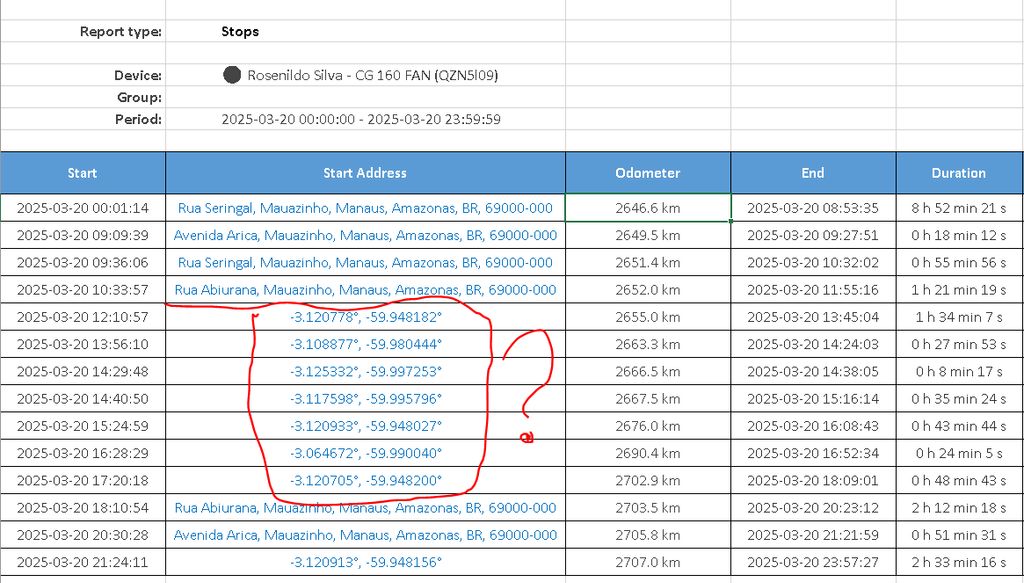
Example image 2
It shows the stop report that shows some streets and where I marked in red it shows latitude and longitude.
Export to Excel
Hi,
I have a reverse geocoder service and it works fine in the Traccar GUI. If I klick an "show adress" it shows me the adress.
But if I export an Excel file, in the file, there are only GPS coordinates.
Am I using it wrong ?
Thanks for the help in advance!