Speedlimt Knots to MPH


This should fix the problem:
https://github.com/traccar/traccar-web/commit/8e53ab2562b96d131668b3f2466de9e52fe1c744
Hi Anton,
Excellent - thank you, I take it this will be available in the next release? I know my technical abilities and changing code is not one of them :) so happy to wait, as a work around do you think my computed attribute above would work and do you envisage any issues as a temporary measure?
Kind Regards
Yes, it will be in the next release. Using computed attributes to change the value will cause issues with actual speeding events, if you use them.
Good Morning Anton - following my upgrade to 6.12.2 I still seem to be having the issue that the speed limit is shown in knots and not MPH.
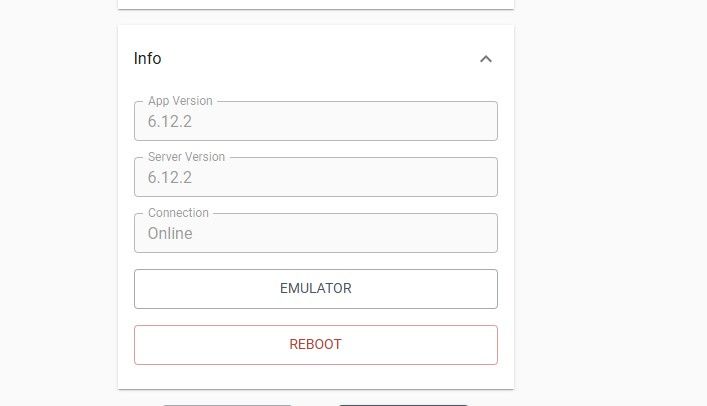
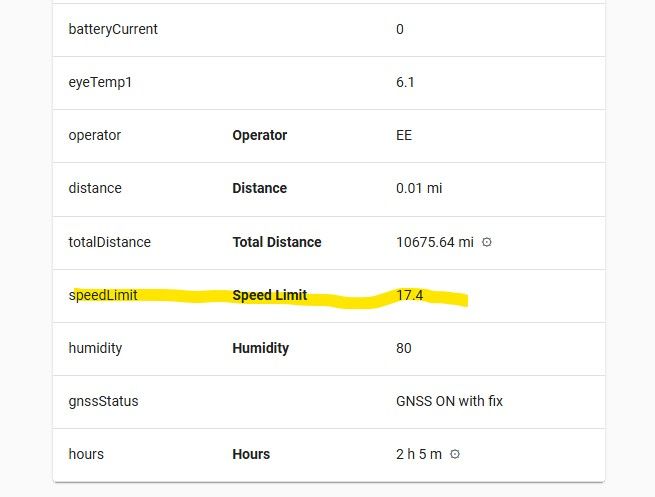
any ideas on this please?
Kind Regards
There was another missing piece. This should fix it:
https://github.com/traccar/traccar-web/commit/a72dbe37aacec2f5e5f10e3c20c35dafbc2b385d
Morning All,
I have an issue whereby my speedlimit are in the default knots in the pop up and reports as per below.
I have made my own query using overpass turbo which does return the correct parameters as per below.
So what am I missing? looking at the configuration I couldn't see a global parameter that I could add to my configuration file that would resolve this, I have had a look at server attributes and can only see speed limit as a number and nothing under account attributes, I have my account preferences marked as speed unit mph.
My other idea was a computed attribute and assign that to all devices using the below.
speedLimit ? Math.round(speedLimit * 1.15078) : null
Kind Regards