Android app 10.0.2 fails to enable continuous sending because "Permissions denied"


What permissions are enabled?
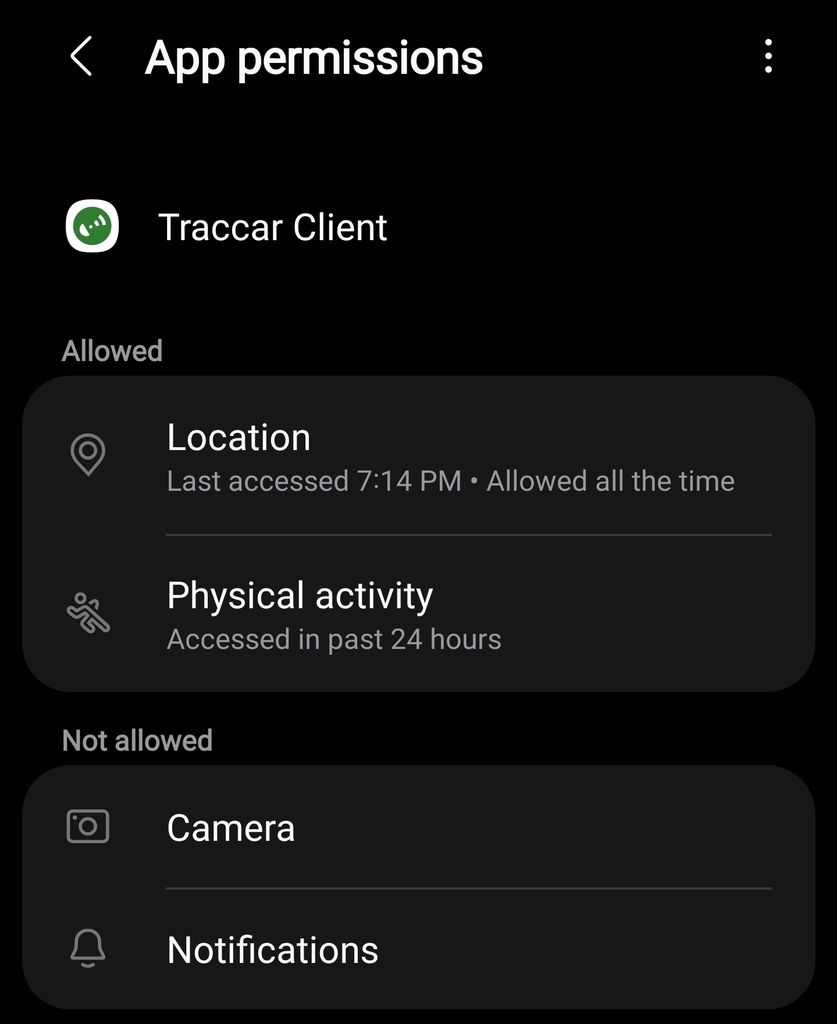
You're missing notifications permission.

That does work fix the issue, however notification permission wasn't required before. I prefer it off since it constantly displays the tracking notification.
Will make it more relaxed in the next version, but disabling notifications will make the app extremely unreliable.

Same here, Samsung Galaxy S23 and S22, latest updates (Client 10.0.2).
"Failed to start tracking. Check location permissions."
A manual status-update works.
Permissions exactly the same as Ryan, never had "Notifications" on. Tried, but NULL effect regarding this problem.
EDIT: Enabling the "notification"-permission form the "main"-page works, made position updates working again. But now I have a ulgy • (big white dot) on top of my status bar.
Thanks Anton, have no problem enabling the notification permission but if we could make it less noisy that'd be huge plus!
Yeah, something must have been changed with 10.0.2, because everything worked before with my settings (notifications off). And the app itself does not ask to enable notfications. So this behaviour is (imho) very error-prone.

Gustl, on mine I set the notification to "silent" and it doesn't show notification dots on my top bar. Also, "minimize" makes the notification shorter in the drawer too.
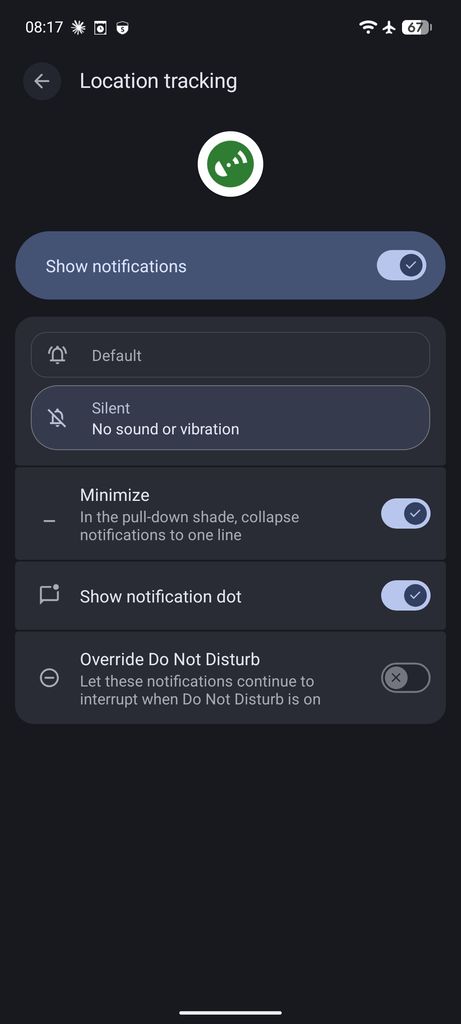
Anton, are you saying that if we turn off the notification channel 'Location tracking" then Traccar client will be less reliable? I too prefer to keep my notifications simpler and had become used to not needing it turned on. Is there some way other apps like ntfy maintain their background service? Or maybe something about this that requires a different level of background persistence?
Notification is required for a foreground service. And foreground service is the most reliable way to keep the app running in the background. Without it, the system often kills background process to save battery etc.
Copy that. Thanks Anton.
So, cases like heartbeat should be more consistent with foreground service vs if it gets killed then it won't necessarily track time accurately? I remember this happening with the prior app version. E.g. heartbeat 300 would result in 5-9 minute heartbeats. Am I understanding that correctly?
Do we have a general idea of what to expect if we deny the notification permission? Is there anything reliable about it? E.g. time based won't work, but movement based will update within a minute or two, etc? I have battery optimization set to "unrestricted" on a pixel. Will it still get killed and be unreliable?
Heartbeat consistency is unrelated topic. Heartbeat uses alarm manager or job scheduler that Android usually throttles and batches.
Without notification permission, the app can at some point be killed and never restored. It is worse for phones with aggressive battery optimizations:
My Samsung Galaxy S21 Ultra updated to 10.0.2 today and now I cannot enable the "Continuous tracking" toggle. If I press "Send location", it succeeds and everything works as it should. However, when I try to enable continuous, I get "Permission denied" even though all the permissions are correct (and working if I manually send). Here is a raw log of 1) Open app 2) Try to toggle continuous 3) Send location 4) Try to toggle again:
I found no combination of settings that would allow this to work - I cleared cache and restarted my self-hosted server as well just for the fun of it, but as expected, it didn't affect the situation.
Ideas? Thanks in advance!
Ryan