deleting device problem

OK, this is probably some kind of bug in the latest version. I tested it on demo.traccar.org - I added a device, waited for it to send some data, and then deleted it - exactly the same error...

I don't see this error when deleting devices via the popup.

I'm not able to reproduce the issue either.
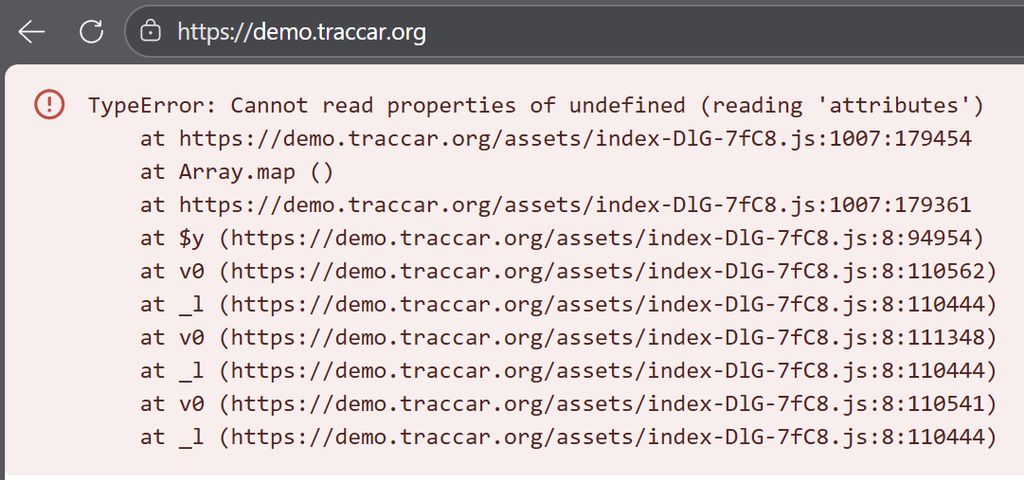
It's strange... I can reproduce the problem every time, both on my server and on demo.traccar.org. The problem only occurs if the device sent any data to Traccar. If I create and immediately delete it, it's fine. But if the device's data is sent to the server, an error occurs during deletion. I've tested it from a PC, phone, Chrome, Safari, incognito, etc., and still get the same error. Below is an example from the demo server, where I couldn't possibly have messed up anything in the configuration myself.
How frequent your device is sending data? Wonder if it's some race condition when you receive data right as you delete the device.
I think, time doesn't matter. I conducted numerous tests and managed to find the cause of this error. The cause is the "live routes" account attribute.
If it is checked to "all" or "selected," an error occurs when removing the device from the pop-up window. However, if this attribute is disabled, the error disappears.
This changed in the latest version. I always had it checked, and the problem started after the upgrade. I also have it checked on my test account on the demo.traccar.org server, and the problem persisted. After disabling live routes, the problem disappeared also on demo server.
All that remains is to check whether, despite errors in the browser, the object was correctly deleted from the database.
That helped. The issue is specifically in live routes. This should fix the problem:
https://github.com/traccar/traccar-web/commit/b57aa76d4748b20c1569d903ae59f81dcb87bb04
Thanks Anton for the quick fix.
Hi, maybe someone knows what's going on here. When I try to delete a device using recycle bin icon in the pop-up window of the object, the following error is returned.
However, if I go to settings/devices and delete the object, there are no errors. Traccar version 6.11.1