I can confirm that this solution also works with a SinoTrack ST-904 (4G).
Firmware:
ST904(EG915UEC_AC)_ATL_TQ_V_1_4_20250818
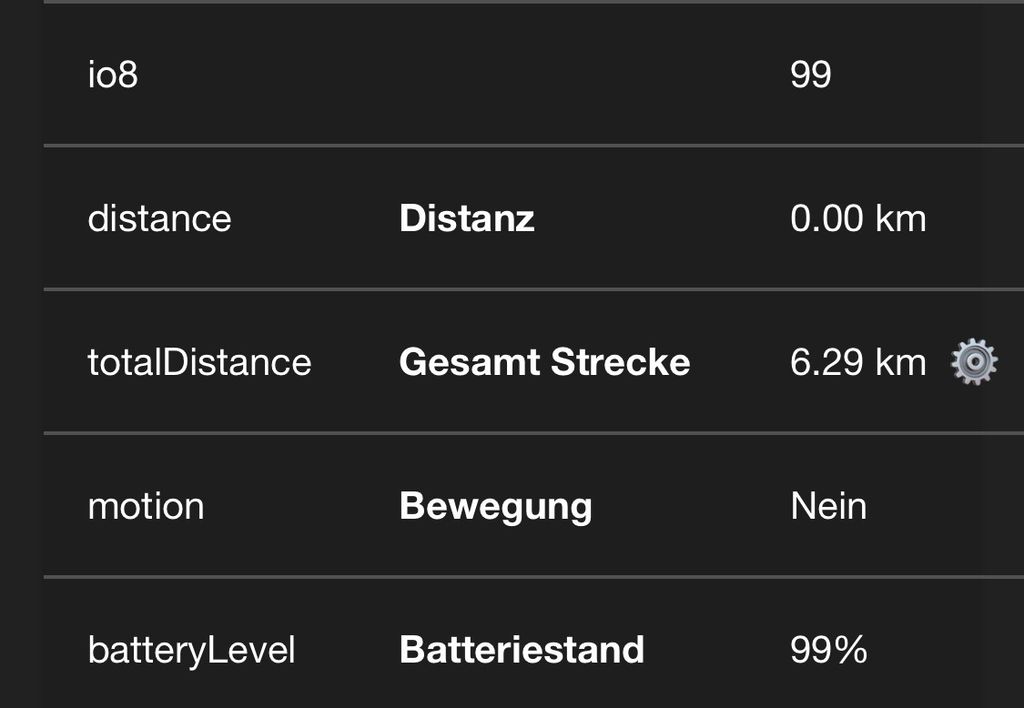
The tracker reports the battery percentage in the io8 attribute.
I created a computed attribute with:
Attribute: batteryLevel
Type: Number
Expression: io8 ? io8 * 1 : null
The computed attribute must also be linked to the device under Device → Connections → Computed Attributes.
After the tracker sends a new position, Traccar displays the battery icon correctly and batteryLevel is available.
Using only io8 as the expression did not work in my case, even though the expression test returned the correct value.
Hi hannes
I will try your way. Thanks
Hello, hannes, io8 ? io8 * 1 : null worked for me.
Thanks for you help!
Also thank you Anton Tananaev for you efforts to help me.


I can confirm that this solution also works with a SinoTrack ST-904 (4G).
Firmware:
ST904(EG915UEC_AC)_ATL_TQ_V_1_4_20250818
The tracker reports the battery percentage in the io8 attribute.
I created a computed attribute with:
Attribute: batteryLevel
Type: Number
Expression: io8 ? io8 * 1 : null
The computed attribute must also be linked to the device under Device → Connections → Computed Attributes.
After the tracker sends a new position, Traccar displays the battery icon correctly and batteryLevel is available.
Using only io8 as the expression did not work in my case, even though the expression test returned the correct value.