How show battery level


Hi, yes in my case it is io8 - as per the attached screenshot.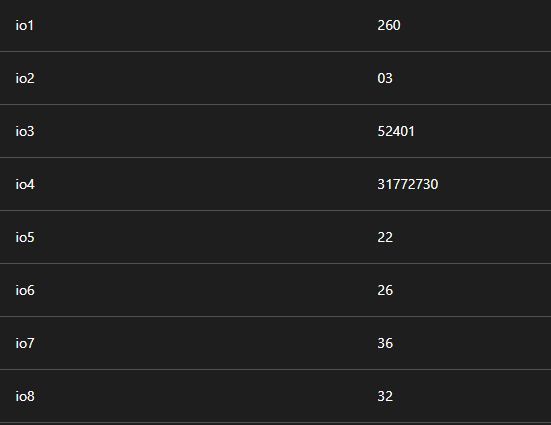
I set it up as below:
And assgined to the device.
The attibute test returns the value of io8 but doesn't bring battery percentage status in the GUI.
But where's the battery level in the output?
Do you mean on this list?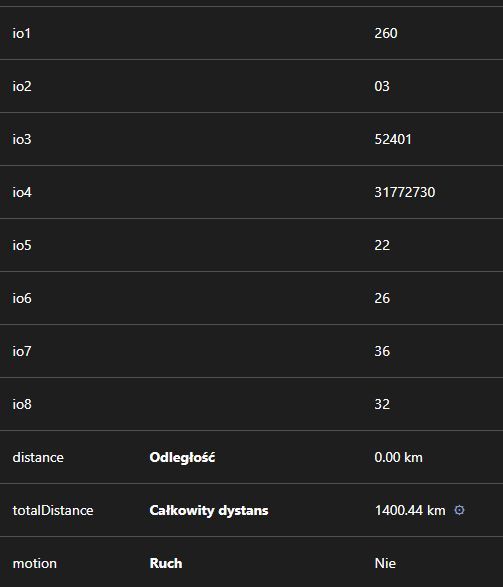
no batteryLevel property on this page.
Then your computed attribute is not working.
Well, any way to make it work then?
Well, you need to figure out why it's not working. You're missing something. Are you sure you waited for new data? Are you sure those io values are not copied attributes?
Are you sure those io values are not copied attributes?
what do you mean exactly?
Do you have attribute copying enabled?
You mean in traccar.xml?
Yes. An AI confirmed the syntax as OK.
The problem is not syntax. The problem is that computed attributes are handled before copying.
Is that ok?
<?xml version='1.0' encoding='UTF-8'?>
<!DOCTYPE properties SYSTEM 'http://java.sun.com/dtd/properties.dtd'>
<properties>

    <entry key='database.driver'>org.h2.Driver</entry>
    <entry key='database.url'>jdbc:h2:./data/database</entry>

    <entry key='web.port'>8082</entry>

    <entry key='processing.computedAttributes.enable'>true</entry>
    <entry key='processing.computedAttributes.newInstanceCreation'>true</entry>

    <entry key='processing.copyAttributes.enable'>true</entry>
    <entry key='processing.copyAttributes'>io8,batteryLevel</entry>

    <entry key='status.timeout'>600</entry>

    <entry key='filter.enable'>true</entry>
    <entry key='filter.invalid'>true</entry>
    <entry key='filter.zero'>true</entry>

</properties>
That's better.
Well... still doesn't show battery icon.
It probably means you have not received io8 or something. It should work. If it doesn't, you're missing something.
First you should check if your attribute is working. Click more details in the device popup. It will show all attributes.