java exception displayed in browser after login


What version are you using?
Hi Anton!
I downloaded it from traccar website today. So I would assume "latest" version.
In traccar-server.log I found these lines:
2026-09-14 17:39:07  INFO: Operating system name: Linux version: 4.12.14-lp151.28.91-default architecture: amd64
2026-09-14 17:39:07  INFO: Java runtime name: OpenJDK 64-Bit Server VM vendor: Eclipse Adoptium version: 25.0.4+7-LTS
2026-09-14 17:39:07  INFO: Memory limit heap: 4512mb non-heap: 0mb
2026-09-14 17:39:07  INFO: Character encoding: UTF-8
2026-09-14 17:39:07  INFO: Version: 6.15.3
2026-09-14 17:39:07  INFO: Starting server...
Looks like it was fixed after:
https://github.com/traccar/traccar-web/commit/06008d40424aba48d9c645f85b04e562cc6bb355
Great! Good!
But how do I get the fix? Where can I get a fixed installation? How do I install it?
You can try the preview:

Hi Anton, when do you plan to release the next version with this fix? I have a similar problem, users cannot save changes. Latest 6.15.3 version.
Don't have a specific date yet.
Hi Anton,
I downloaded preview, ran a complete clean fresh install (deleted /opt/traccar, deleted database).
But, no change. Same problem.
User registration is done ok. But immediately after login:
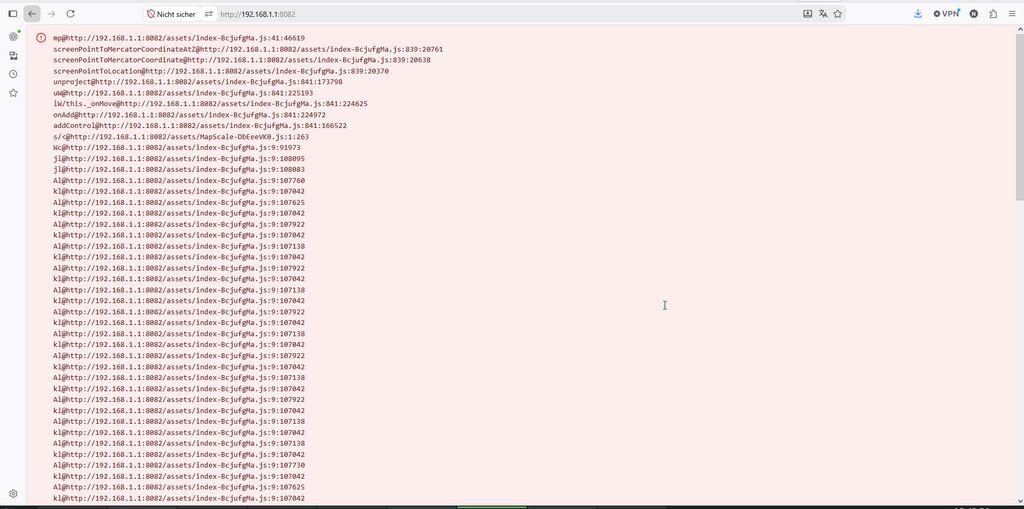
File hashes haven't changed, which tells me that you haven't cleared the cache.
ok, aggain a complete new install:
Delete /opt/traccar
Delete mysql database
delete browser cache & cookies
run ./traccar.run
systemctl start traccar
logfile shows all the create tables and foreign key addings
wait until logfile shows the line that webserver is up
check aggain browser - no cookies, cahce cleared
open http//192.168.1.1:8082
I get that runnig circle, forever:
Nothing more happens
The html code traccar sent to the browser:
<!DOCTYPE html> <html lang="en"> <head> <meta charset="utf-8" /> <meta name="viewport" content="width=device-width, initial-scale=1" /> <meta name="theme-color" content="#1a237e" /> <meta name="description" content="Traccar GPS Tracking System" /> <link rel="icon" href="/favicon.ico" /> <link rel="apple-touch-icon" href="/apple-touch-icon-180x180.png" sizes="180x180" /> <link rel="manifest" href="/manifest.webmanifest" /> <link rel="stylesheet" href="/styles.css"> <title>Traccar</title> <style>.loader{aspect-ratio:1;box-sizing:content-box;border:4px solid #d3d3d3;border-right-color:#000;border-radius:50%;width:40px;margin:auto;animation:1s linear infinite ll;position:fixed;inset:0}@keyframes ll{to{transform:rotate(1turn)}}</style> <script type="module" crossorigin src="/assets/index-DldfD2Ok.js"></script> <link rel="modulepreload" crossorigin href="/assets/rolldown-runtime-Dd_uD5pT.js"> <link rel="modulepreload" crossorigin href="/assets/mui-_fUylVdI.js"> <link rel="modulepreload" crossorigin href="/assets/List-BrAc3OQp.js"> <link rel="modulepreload" crossorigin href="/assets/prop-types-DLsXoLjk.js"> <link rel="modulepreload" crossorigin href="/assets/Menu-CTYS6X9a.js"> <link rel="modulepreload" crossorigin href="/assets/useControlled-D20m6M9Y.js"> <link rel="modulepreload" crossorigin href="/assets/Select-1Gub7qg6.js"> <link rel="modulepreload" crossorigin href="/assets/getThemeProps-Cgejdpec.js"> <link rel="modulepreload" crossorigin href="/assets/listItemTextClasses-CNn_cT1d.js"> <link rel="modulepreload" crossorigin href="/assets/MenuItem-BR9bqOGS.js"> <link rel="modulepreload" crossorigin href="/assets/IconButton-BKdJa1i3.js"> <link rel="modulepreload" crossorigin href="/assets/Typography-B6v7KRmh.js"> <link rel="modulepreload" crossorigin href="/assets/Popper-F558_MaM.js"> <link rel="modulepreload" crossorigin href="/assets/Button-7fpH3hpK.js"> <link rel="modulepreload" crossorigin href="/assets/SwitchBase-C_fi7QWC.js"> <link rel="modulepreload" crossorigin href="/assets/Snackbar-BNJYA9Eo.js"> <link rel="modulepreload" crossorigin href="/assets/Link-BfcKdbgy.js"> <link rel="modulepreload" crossorigin href="/assets/TableRow-D9LXl0um.js"> <link rel="modulepreload" crossorigin href="/assets/dayjs.min-BEt9nRqS.js"> <link rel="modulepreload" crossorigin href="/assets/LocalizationProvider-sIl2ztdx.js"> <link rel="modulepreload" crossorigin href="/assets/reactHelper-oo9nfibC.js"> <link rel="modulepreload" crossorigin href="/assets/converter-Bj5osDzM.js"> <link rel="modulepreload" crossorigin href="/assets/stringUtils-ktxcRsUz.js"> <link rel="modulepreload" crossorigin href="/assets/formatter-BAph8OpU.js"> <link rel="modulepreload" crossorigin href="/assets/preferences-CXD-bud_.js"> <link rel="modulepreload" crossorigin href="/assets/permissions-CI3tfoux.js"> <link rel="modulepreload" crossorigin href="/assets/fetchOrThrow-C-HDJ3mT.js"> <link rel="stylesheet" crossorigin href="/assets/index-CKRTiAqP.css"> <link rel="manifest" href="/manifest.webmanifest"></head> <body> <noscript>Enable JavaScript to use Traccar GPS Tracking System.</noscript> </body> </html>
Have you checked the browser dev tools to see what the problem is?
which "dev tools" ? Where can I find them ? (I use firefox)
I guess read doc how to open dev tools in Firefox. Every browser should have them.
ok, I think I found those dev tools.
I opened the Console and loaded 192.168.1.1:8082
In Console I see:

Hello everyone!
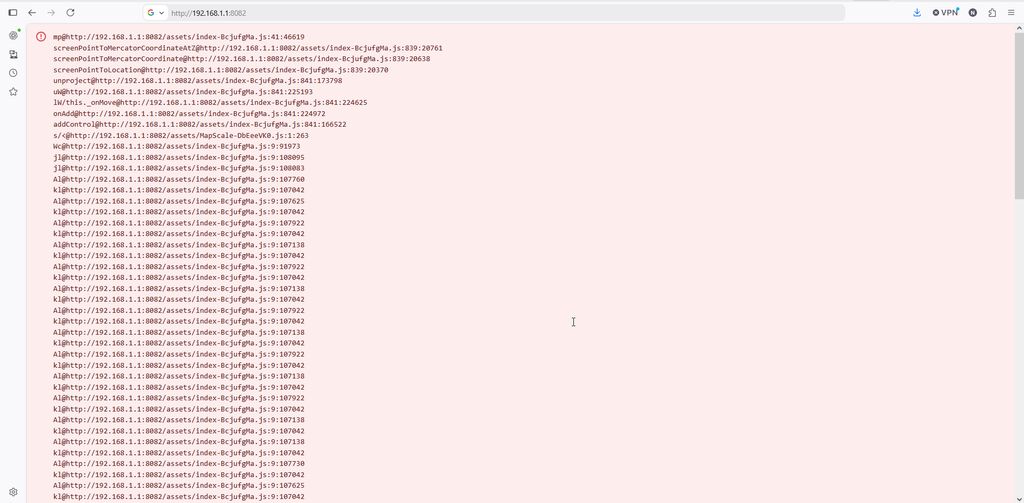
I just downloaded and installed traccar on my server.
Then I modified traccar.xml according to the instructions when using mariaDB.
I created the database and the database-user
Then started traccar.
Traccar created 51 tables
Then opened 192.168.1.1:8082 in my browser (firefox), login page was displayed
I registered the first user successfully
But then, when I tried to login as that user, browser displays a page which looks like a exception stacktrace
No "ERROR"s in tracker-server.log
What can I do now?