Latest Traccar Client version does not update real location Android OS due to Traccar Server bugs


Hi there! So I have a pixel 7Pro with Graphene os on it. Self-hosting a traccar instance with the most updated version. Now I have been having the same, or at least similar, issue where my phone/client is connected to the server and will send entries... But the entries are not the most updated GPS location. You can see my phone show the GPS icon for inquirying for GPS information yet all is sends is the same exact GPS fix that it send earlier (same timestamp, alt,long,lat, etc...). One thing I noticed which was interesting was when I was running darwaich client at the same time, traccar was working! and when I used another app like google maps or "GPS coordinates" app, traccar is only then able to send a new GPS fix. So my issue seems less server related but more client related. Do you guys have any insight on what could be the issue? Thank you! (for context, I have already went through the troubleshooting tasks such as unrestrict battery and all that).
There are time where if I spam "send location" enough times, it may send a updated location, but its so inconsistent. I sent my log from my email [redacted]... it was huge so I didn't know how to add it here haha.

We don't allow sharing personal contact information on this forum.
After seeing my pesky GPS hardware tracker SeeWorld S5L using GT06 protocol constantly entering into 0:0 coordinates I decide to try these filters instead to filter the constant intermittent jump.
    <entry key='filter.enable'>true</entry>
    <entry key='filter.invalid'>true</entry>
    <entry key='filter.zero'>true</entry>
    <entry key='filter.future'>300</entry>
    <entry key='filter.duplicate'>true</entry>
    <entry key='filter.maxSpeed'>86</entry>
    <entry key='filter.distance'>10</entry>
    <entry key='coordinates.filter'>true</entry>
    <entry key='coordinates.minError'>10</entry>
    <entry key='filter.skipAttributes.enable'>true</entry>
After a precision careful analysis and testing each and every filter I have decide that the best solution to prevent our trackers from entering 0:0 zero coordinate at south africa time zone line.
I have remove all fiters which does not work!
    <entry key='filter.enable'>true</entry>
    <entry key='filter.invalid'>true</entry>
    <entry key='filter.zero'>true</entry>
    <entry key='filter.future'>300</entry>
    <entry key='filter.duplicate'>true</entry>
    <entry key='filter.maxSpeed'>86</entry>
    <entry key='filter.distance'>10</entry>
    <entry key='coordinates.filter'>true</entry>
    <entry key='coordinates.minError'>10</entry>
    <entry key='filter.skipAttributes.enable'>true</entry>
And only use this logical filter which works perfectly. That is to prevent "coordinates.maxError" from jumping 10,000 km away from my hot spot country state zone. I do not want to filter coordinates.minError cause I need to track movement for Google API to indicate motion changes as intended.
    <entry key='coordinates.filter'>true</entry>
    <entry key='coordinates.maxError'>10000</entry>
At my Traccar client I have set Location Accuracy to High only. I do not need constant Highest updates which drains the mobile phone battery alot when on still no movements.
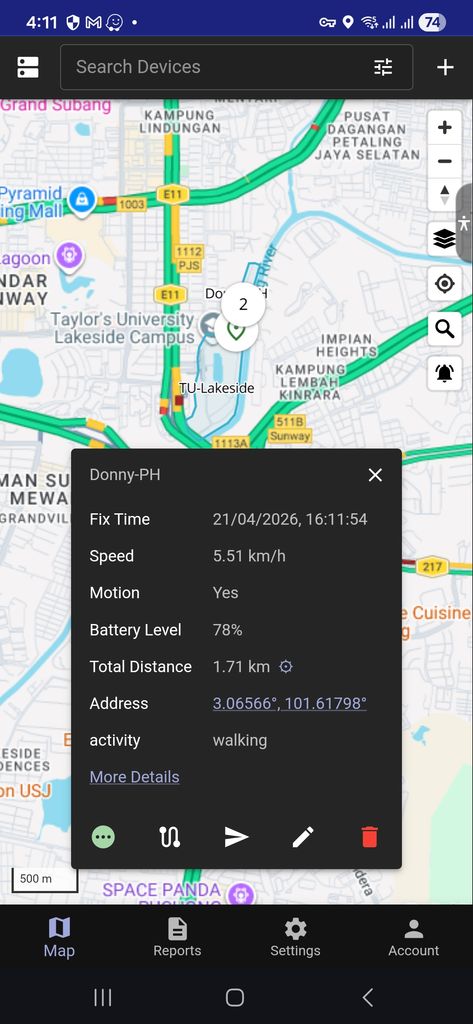
Ok. My mistake. Non of the filters works. Newly boot up devices still reports 0:0 coordinates.
I gave up. I just remove all filters and learn to live with it. The jumping of zero coordinates is unavoidable.
Topic thread close on this matter.
Thanks Anton anyway.
Cheers.
Here I have Highest location accuracy which send immediate location update at every 1 second.
And High location accuracy setting wich send location satus updates at every 10 seconds similar to hardware device trackers minimal interval permitted.
Nothing lower than 10 seconds is permitted for hardware trackers according to the manufacturers manual i.e. SinoTrack hardware devices trackers.
This is the best real time settings as tested on Traccar client the latest version released.