Relay app for Google Find Hub devices


This looks correct. You can also try this using https://demo.traccar.org in the relay as well.
damn, you was right.
why one application is installing with one default http: than another?
i had to delete, reinstall and correct the Relay 2 times before it get connected to manually entered https://demo.traccar.org
after that finally devices (those 2 i manually added into Manager) became green.
Aliluya
I've tested it and http://demo.traccar.org:5055 works fine for me.
Anton, can we talk in some other private chat. i m sending you email to support... right now.

I followed the instructions from pizzulicchio to the letter, but my devices still do not have the option to request a position. The only option is "custom command"
I have Traccar running on a Windows PC on my LAN.
The Windows PC has port 5055 open, and I verified that my phone can access port 5055 by trying to connect to 192.168.0.17:5055 in Chrome, and seeing the attempt show up in traccar-server.log
I restarted the Traccar Relay app. I rebooted my phone. I removed and reinstalled the Relay app. My Google Find Hub devices all show up in the Relay app. I added my API key to traccar.xml:
    <entry key='notificator.types'>traccar</entry>
    <entry key='notificator.traccar.key'>really_long_API_key</entry>
I also wasn't entirely sure if the ellipsis should or shouldn't be there, but I tried that as well:
<entry key='notificator.types'>traccar,...</entry>
Restarted my traccar server service any time I made a change.
No matter what, my devices show up "offline" in Traccar and I cannot send a position request command! I'm so close, but something is clearly not quite right! Help!
Do you see devices in Traccar Relay app? Are you sure you put the right URL there? Do you want to provide a screenshot?
I do see the devices in the Relay App. Yes, I definitely had the correct URL, and I also tried demo.traccar.org:5055, but I get the exact same results. Hang on a sec, I'll get a screenshot
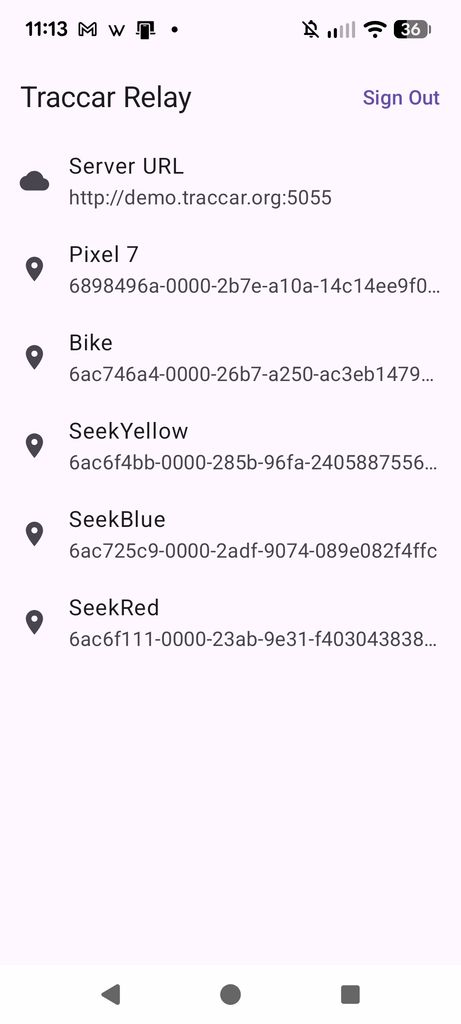
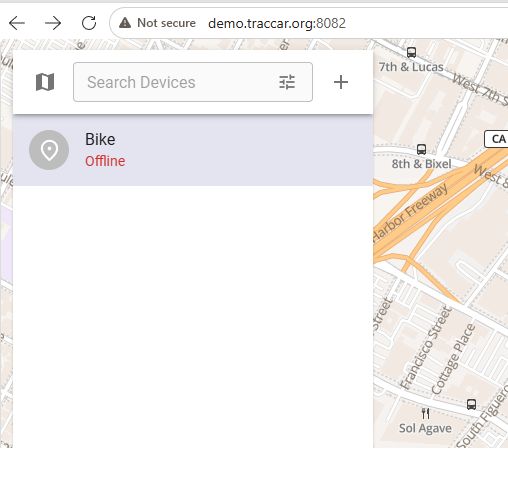
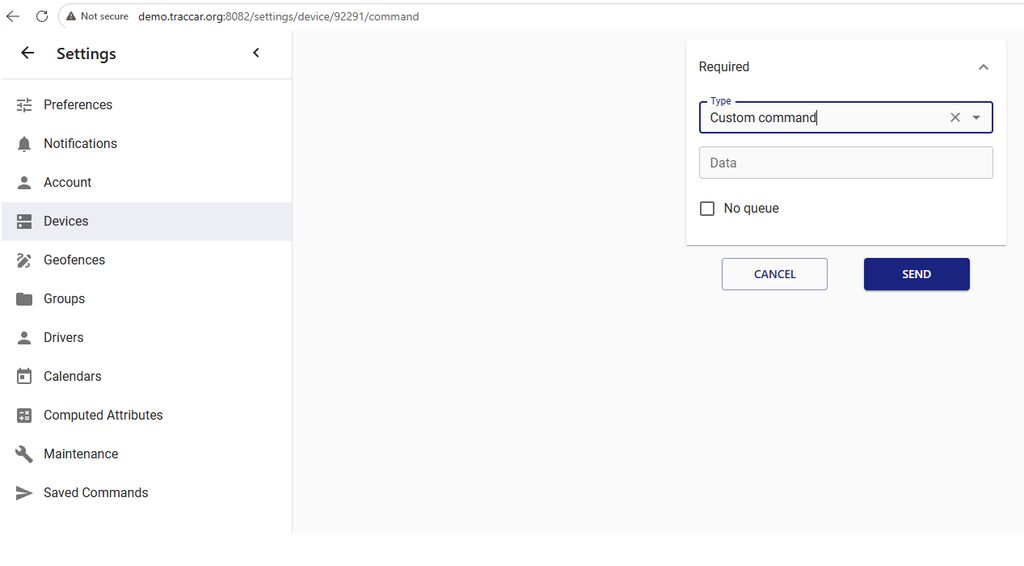
You need to see the device online first. Are you sure the ID is matching?
Yes, I copied the ID from the Relay App into the "identifier" field.
I tried adding both an airtag-like tracker and my Pixel phone, but they both show up "offline"
The devices definitely show up online in the Google Find Hub, and it seems like the Relay App is not sending anything over to the Traccar server, and I don't know why. API key is correct. IP and port are correct.
I checked the demo logs. Relay sent data, but the server rejected it as "Unknown device" because the devices hadn't been added yet. Then later you registered the device, but never retried connection. Please force-stop and reopen Relay to trigger registration again.
Wow, the tracker is showing up now on demo.traccar.org! I still don't know why it doesn't work when I try to use my local server, but I'm fine with using demo
OK, I got to the bottom of this. It's an Android issue. Android 17 enforces mandatory Local Network Protection to block unauthorized apps from scanning or connecting to devices on your local area network (LAN).
Traccar Relay only requests INTERNET in its manifest and wasn't updated for Android's new ACCESS_LOCAL_NETWORK permission. So the workaround is to open 5055 on my router, and set the server in Relay to be my_public_IP_address:5055 instead of my_LAN_IP_address:5055
Interesting. I thought it only blocks localhost.
Relay http://demo.traccar.org:5055
i also reinstalled Manager now - did not help
Manager - https://demo.traccar.org
default server or blank installation