Convert "io5" on protocol "h02" to Battery level via Computed Attributes AND show it


One thing I recommend trying is assigning a fixed value in the attribute. See if that works. Make sure you also check logs for warnings.
Hello Anton,
thank you for your quick reply. Unfortunately, I still don't seem to be able to fix it :(
First I'd like to show you the log:

Are the warnings important?
Then, after reading your suggestion and cheking out https://www.traccar.org/computed-attributes , I tried the following:
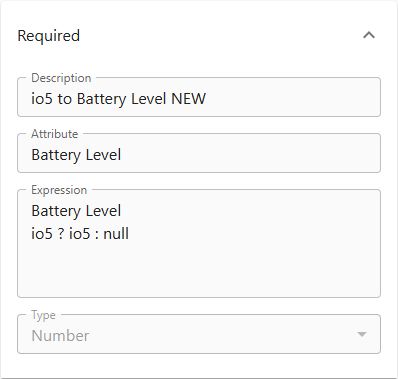
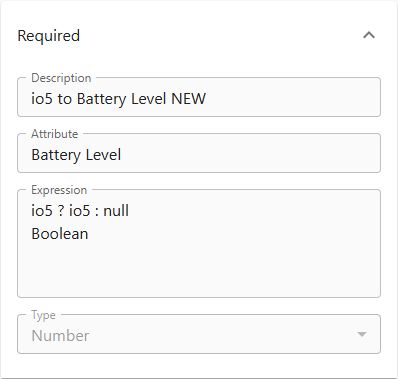
Test fails on both. Then I tried
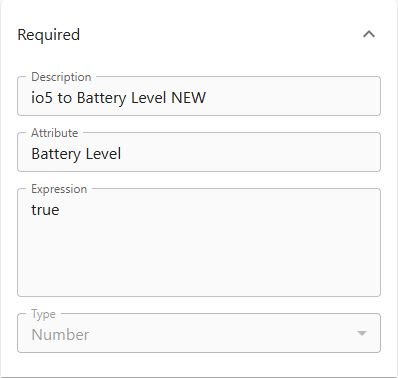
Test returns "true" - but I'm certain that that's not what I need - right?
Thanks
Nina
Ps: Here is the log as a text:
Liquibase: Update has been successful. Rows affected: 1
WARNING: A terminally deprecated method in sun.misc.Unsafe has been called
WARNING: sun.misc.Unsafe::staticFieldBase has been called by com.google.inject.internal.aop.HiddenClassDefiner (file:/opt/traccar/lib/guice-7.0.0
WARNING: Please consider reporting this to the maintainers of class com.google.inject.internal.aop.HiddenClassDefiner
WARNING: sun.misc.Unsafe::staticFieldBase will be removed in a future release
Database is up to date, no changesets to execute
WARNING: A terminally deprecated method in sun.misc.Unsafe has been called
WARNING: sun.misc.Unsafe::staticFieldBase has been called by com.google.inject.internal.aop.HiddenClassDefiner (file:/opt/traccar/lib/guice-7.0.0
WARNING: Please consider reporting this to the maintainers of class com.google.inject.internal.aop.HiddenClassDefiner
WARNING: sun.misc.Unsafe::staticFieldBase will be removed in a future release
Database is up to date, no changesets to execute
Sorry for sending it as a picture first
These warnings are unrelated.
All of the expressions you have on the screenshots make absolutely no sense and they're invalid.
Okay thank you, so we can rule out the log?
Could you tell me, how I should do it? I can't figure out how to assign a fixed value in the attribute - I don't even know where to start.
Thanks
Nina
You just literally put the number. I strongly recommend you read the documentation on the syntax.
Thanks, I really tried, but these things are not easy for me at all. I did what you recommended though:
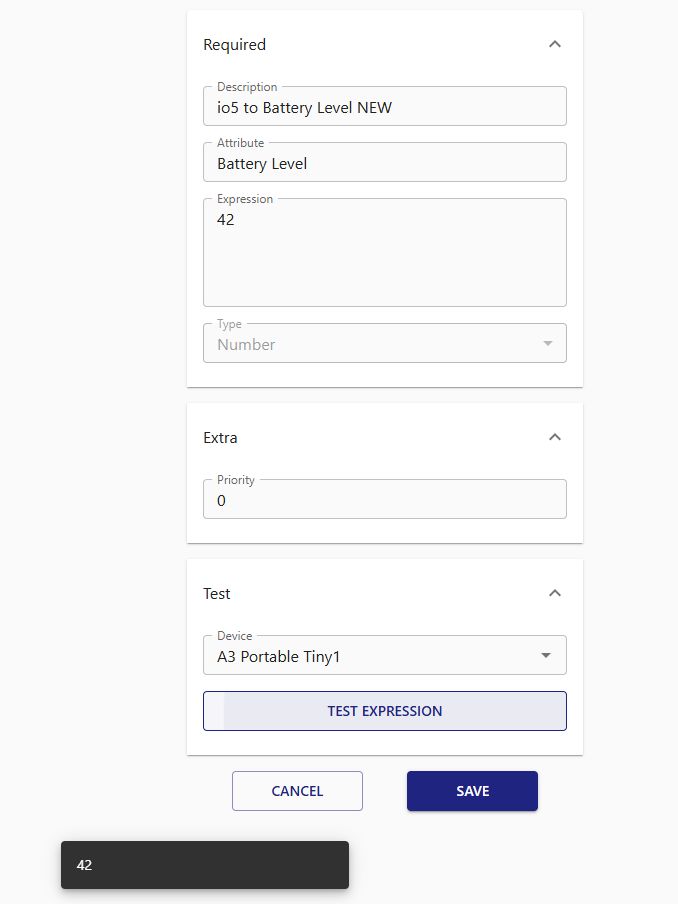
I will now wait until the tracker reports data again, and then check! I will get back to you here.
Have a nice evening
Nina
Ps: Did change it here as well:
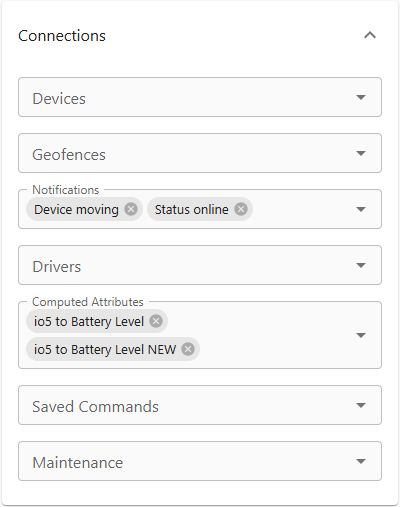
This is wrong. Do not use two attributes at the same time. They can randomly override each other.
Thanks! I fixed it:
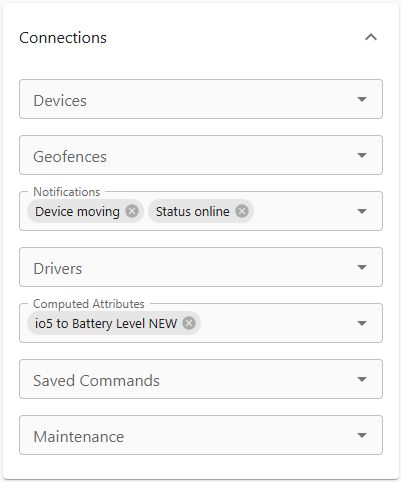
I really hope it works. I will get back to you here!
Nina
You truly are a wizard, Anton:
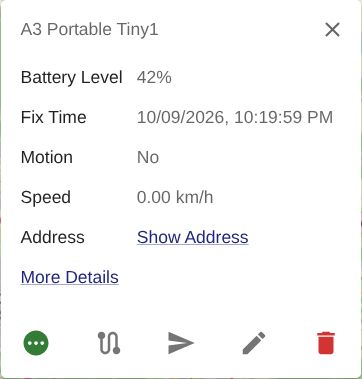
Now to the next step:
Do you have any idea on how to get the real value there? I wonder why it wasn't working with my "io5 ? io5 : null" - the test always comes back without any errors:
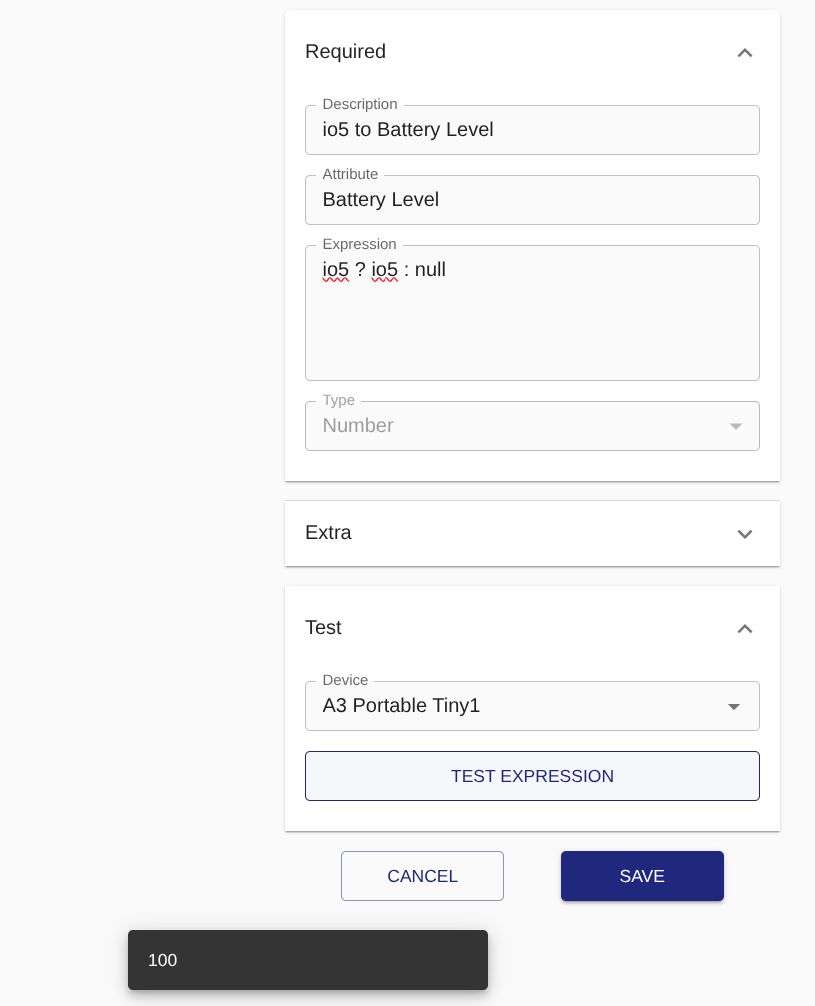
Thanks again
Nina
I suspect the issue is the data type. It's probably a string, so you need to convert it into a number.
Okay Anton, I just woke up and am ready to finally fix this. Let's go! Again, I don't know anything about programming, I hope my ideas are not too painful for a seasoned dev :)
I tried Double.parseDouble(io5), which resulted in nothing after clicking on test - no error, no result, no black box - nothing.
Then I tried io5 * 1, which resulted in "100", which is correct.
Then I tried io5 * 2, which resulted in "200", so my non-programmer-brain tells me that Traccar must think the 100 is a number, because it is able to multiply.
Leaving it on io5 * 1 for now until receiving the next update from the tracker and will report back.
Thanks again
Nina
Ps: On a side note: I always have the engine-icon showing. Is this because the tracker sends the status ignition? The other trackers don't have this field, and they don't show that icon. So I'm thinking maybe I can make another Computed Attribute, that sorta changes the "No" from ignition to a blank, and then maybe the icon will disappear? But won't do that right now, I'll focus on the battery first.
Thanks
Nina
Ahh you know what, life is short, trying the ignition-thing rn. No risk no fun.

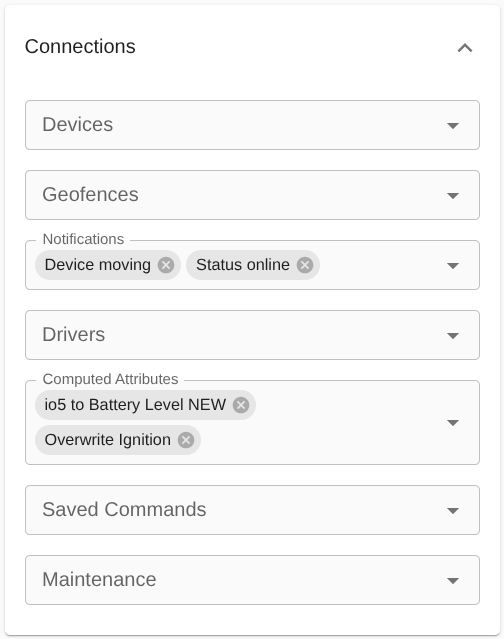
Wish me luck!
Nina
Hello,
I know the subject has come up several times here. I've read through all posts regarding and have been tinkering for days, I waited (bc that was suggested in one of the posts) for several days, switched the device on and off - all to no success. It seems I am missing the final step.
As the title says, the Battery level of one of my devices is shown as "io5", and I'd like it to show as "Battery level". I already added a computed attribute like this:
I tested it, and the test works.
Then I linked the attribute to the corresponding device:
That's where I'm stuck. I don't see the Battery level in the overview...
... or in the little info-window (the display of the Battery level is switched on here, and working for the devices that provide it)...
... or in the details...
It's driving me crazy - what am I missing? I hope somebody can point me in the right direction. If that's important, I'm on Traccar 6.15.3 .
Thank you so much
Nina