Google Find Hub devices in Traccar


No, this makes no sense. Where's the key?
i modified in this way..
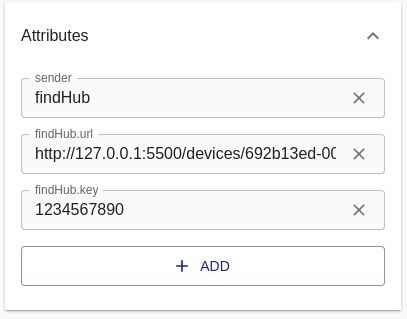
it's now right?
No, where is the command.? Why did you remove it?
I remove it because if a try to insert a complete string command.sender, i can't save because add button disappear..
Screenshot?
styping a command appiear add window:
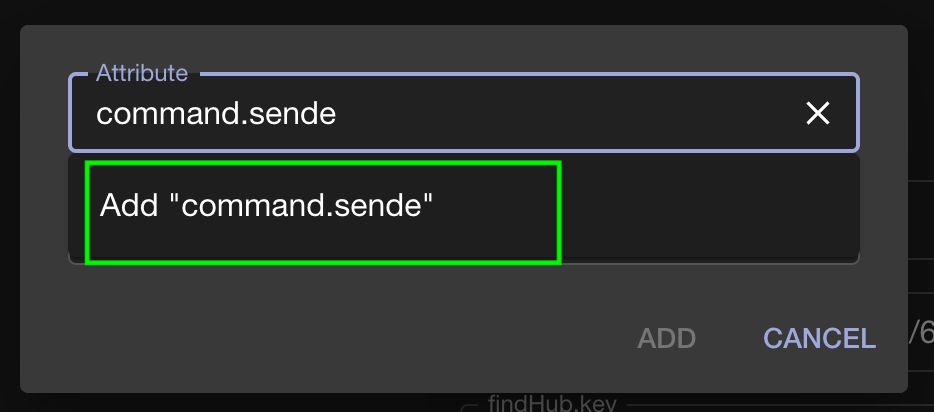
but when command command.sender is complete, add window disappers:
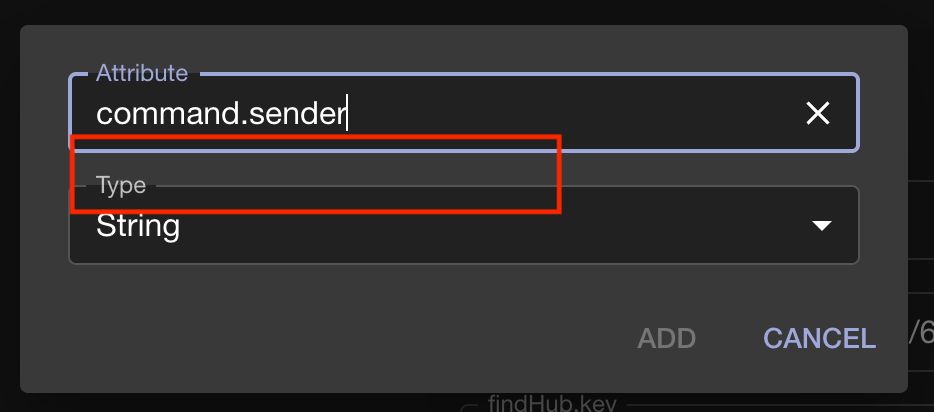
but entering another letter it works again
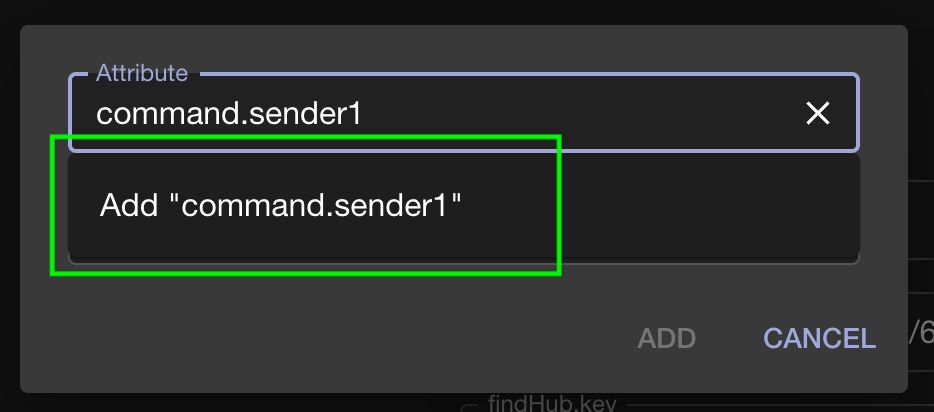
Federico
That's actually because "Command Channel" is that attribute.
This should fix the filtering issue:
https://github.com/traccar/traccar-web/commit/7e5027f58d13db83d6bfc5ffb830553dde72e127
Hello @Anton,
now I have correct custom attributes, and I can fire commands (single, periodic e stop) reporting.
But I have another issue. I have generated segret.json in Lubuntu, but when I copy secret.json file in docker auth folder, microserver can't open it and request to authenticate in google with chrome.
How can solve?
i test with 15 seconds time schedule.
LOG:
find-hub  | 172.18.0.13 - - \[04/Dec/2025 11:26:15\] "POST /devices/`mydeviceID`/position-periodic?interval=15 HTTP/1.1" 200 - find-hub  | \[FCMReceiver\] Listening for notifications. This can take a few seconds...
find-hub  | \[AuthFlow\] This script will now open Google Chrome on your device to login to your Google account.
find-hub  | > Please make sure that Chrome is installed on your system.
find-hub  | > For macOS users only: Make that you allow Python (or PyCharm) to control Chrome if prompted.
find-hub  |
find-hub  | \[AuthFlow\] Press Enter to continue...\[FCMReceiver\] Listening for notifications. This can take a few seconds...
find-hub  | \[AuthFlow\] This script will now open Google Chrome on your device to login to your Google account.
find-hub  | > Please make sure that Chrome is installed on your system.
find-hub  | > For macOS users only: Make that you allow Python (or PyCharm) to control Chrome if prompted.
when I send single position report command, traccar report error http 500 from microserver:
>find-hub  | \[2025-12-04 11:52:23,847\] ERROR in app: Exception on /devices/`mydeviceID`/position-single \[POST\]
find-hub  | Traceback (most recent call last):
find-hub  |   File "/usr/local/lib/python3.11/site-packages/flask/app.py", line 1511, in wsgi_app
find-hub  |     response = self.full_dispatch_request()
find-hub  |                ^^^^^^^^^^^^^^^^^^^^^^^^^^^^
find-hub  |   File "/usr/local/lib/python3.11/site-packages/flask/app.py", line 919, in full_dispatch_request
find-hub  |     rv = self.handle_user_exception(e)
find-hub  |          ^^^^^^^^^^^^^^^^^^^^^^^^^^^^^
find-hub  |   File "/usr/local/lib/python3.11/site-packages/flask/app.py", line 917, in full_dispatch_request
find-hub  |     rv = self.dispatch_request()
find-hub  |          ^^^^^^^^^^^^^^^^^^^^^^^
find-hub  |   File "/usr/local/lib/python3.11/site-packages/flask/app.py", line 902, in dispatch_request
find-hub  |     return self.ensure_sync(self.view_functions\[rule.endpoint\])(\*\*view_args)  # type: ignore\[no-any-return\]
find-hub  |            ^^^^^^^^^^^^^^^^^^^^^^^^^^^^^^^^^^^^^^^^^^^^^^^^^^^^^^^^^^^^^^^^^
find-hub  |   File "/app/microservice.py", line 145, in push_position_single
find-hub  |     locations = fetchlocation(device_id)
find-hub  |                 ^^^^^^^^^^^^^^^^^^^^^^^^^^
find-hub  |   File "/app/microservice.py", line 98, in fetchlocation
find-hub  |     nova_request(NOVA_ACTION_API_SCOPE, payload)
find-hub  |   File "/app/NovaApi/nova\_request.py", line 18, in nova_request
find-hub  |     android_device_manager_oauth_token = get_adm_token(get_username())
find-hub  |                                          ^^^^^^^^^^^^^^^^^^^^^^^^^^^^^
find-hub  |   File "/app/Auth/adm_token\_retrieval.py", line 10, in get_adm_token
find-hub  |     return request_token(username, "android_device_manager")
find-hub  |            ^^^^^^^^^^^^^^^^^^^^^^^^^^^^^^^^^^^^^^^^^^^^^^^^^
find-hub  |   File "/app/Auth/token\_retrieval.py", line 14, in request_token
find-hub  |     aas_token = get_aas_token()
find-hub  |                 ^^^^^^^^^^^^^^^
find-hub  |   File "/app/Auth/aas_token\_retrieval.py", line 30, in get_aas_token
find-hub  |     return get_cached_value_or_set('aas_token', generateaas_token)
find-hub  |            ^^^^^^^^^^^^^^^^^^^^^^^^^^^^^^^^^^^^^^^^^^^^^^^^^^^^^^^^^
find-hub  |   File "/app/Auth/token\_cache.py", line 18, in get_cached_value_or_set
find-hub  |     value = generator()
find-hub  |             ^^^^^^^^^^^
find-hub  |   File "/app/Auth/aas_token\_retrieval.py", line 17, in generateaas_token
find-hub  |     token = request_oauth_account_token_flow()
find-hub  |             ^^^^^^^^^^^^^^^^^^^^^^^^^^^^^^^^^^
find-hub  |   File "/app/Auth/auth\_flow.py", line 17, in request_oauth_account_token_flow
find-hub  |     input("\[AuthFlow\] Press Enter to continue...")
find-hub  | EOFError: EOF when reading a line
find-hub  | 172.18.0.13 - - \[04/Dec/2025 11:52:23\] "POST /devices/`mydeviceID`/position-single HTTP/1.1" 500 -
Have you done the authentication?
Yes,
I used a tablet with Linux Lubuntu installed, I followed your guide and I created secret.json
The authentication process opens a new window in chrome where no account is logged in, and it requires authentication. My Google account is secured by passkey generate by bitwarden in android app.
This in what I get from Linux terminal when authentication is complete:
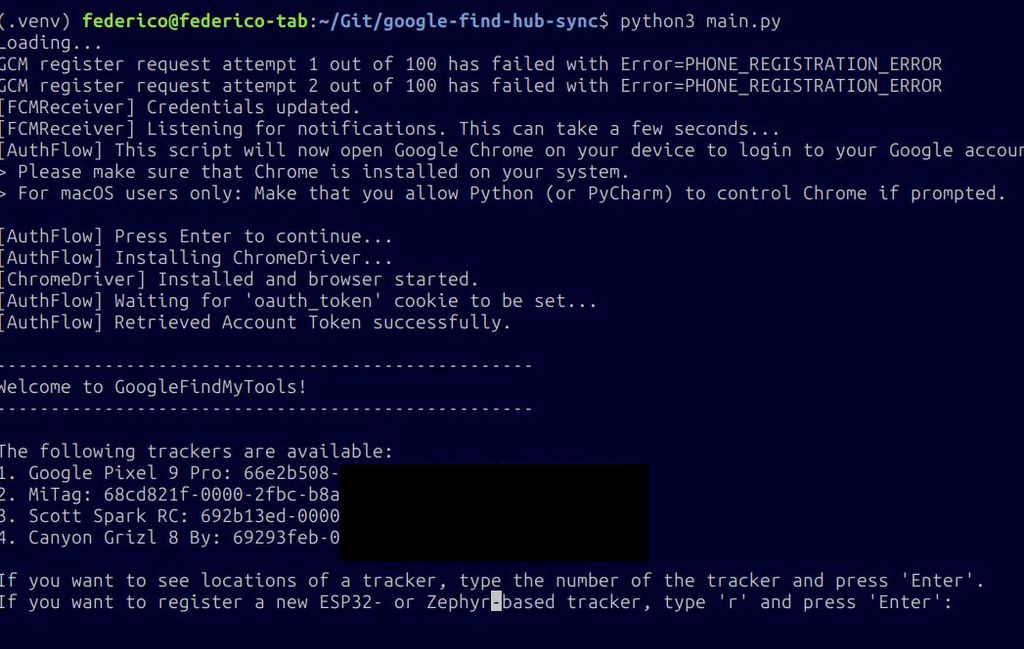
Then I stop the service in Lubuntu Linux, i copied secret.json to /Auth folder in Docker (in Unraid Server) and start it. But what I can see, it seems that Docker can't access to secret file previously generated in Lubuntu and requires re-authentication. I also updated the permissions of secret file, but it doesn't change the result.
Yeah, I believe you have to generate auth on the same device.
and how can I do it using docker?
Like this?