Heartbeat and data sending do not work if the app is in the background


Do you want to provide some more details? Version, device, configuration, logs etc.
Iphone 14
Traccar client 10.0.6
There is nothing abnormal in the traccar log. Data is only entered when the application is active on the phone. If it goes to the background, it stops. There was such an error before, but it was fixed then, now it is back.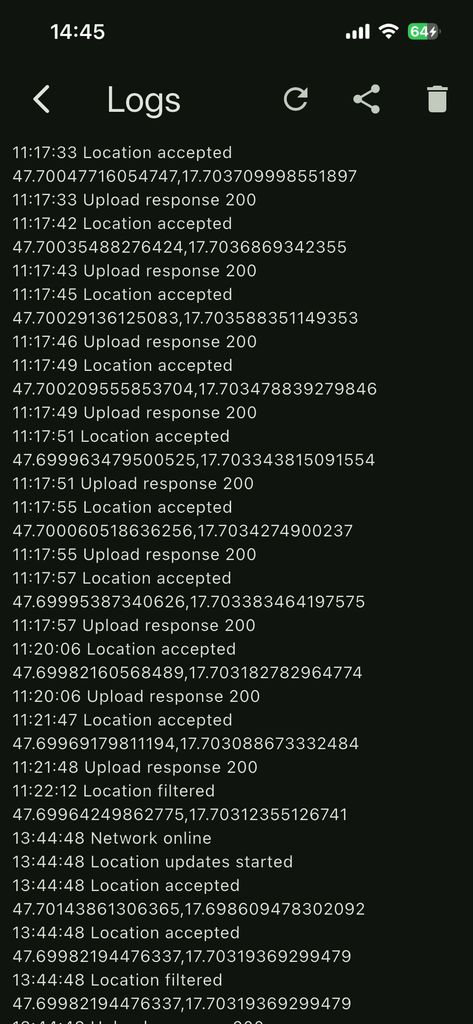
So is it working now?
It doesn't work. If the traccar app goes to the background on the phone or I lock the phone, it doesn't send anything, it's like I close the traccar. But even the heartbeat doesn't go every minute.
What do you see in logs for that period?
Nothing. No entries for that period.
Now it sends the speed on the way home from work, then I will undo this mistake. But during the 20km drive by car, it only loaded about 50 positions. Very few, almost 5% of the entire trip. But this could also be because I was pressing the phone while driving.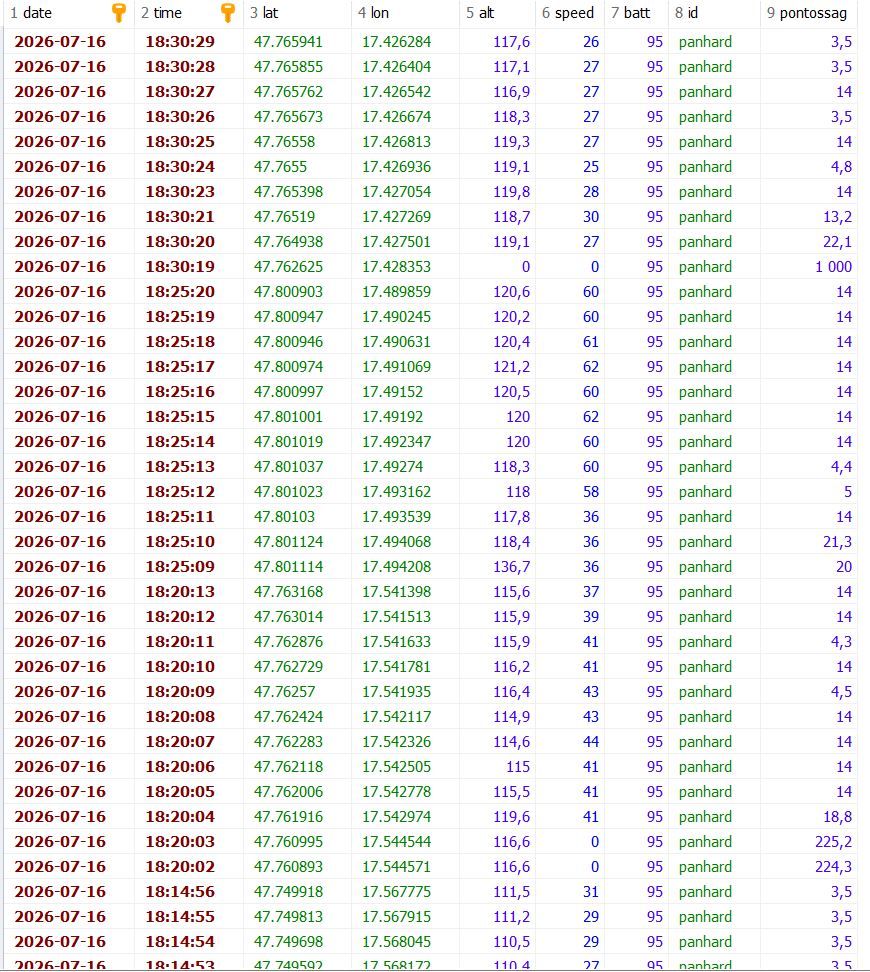
If you don't see anything, it means that system has killed the app for some reason.

Hi I can confirm the same behavior.
During a longer trip, I observed that the app recorded a tracking point only approximately every five minutes on average.
My app settings were:
Location accuracy: High
Distance: 10 meters
Heartbeat: 120 seconds
Offline buffer: Enabled
Stop detection: Disabled
Fastest interval: This setting no longer exists in the current version.
I have experienced this issue since upgrading to version 10 of the iOS app.
The device is an iPhone 16 Pro.
An older version (same settings) of the app running on a different iPhone 14 continues to work as expected.
I have not yet verified whether tracking behaves correctly when the app remains open and the iPhone is unlocked.
I plan to test this tomorrow and will report back with the results.
I tried it with iPhone7, it also has traccar version 10.0.6. It works flawlessly with that. It sends data smoothly and continuously even with a locked phone. That phone has ios version 15.8.8.
My iPhone 14 has ios 26.5.2. This month, ios was not updated, but traccar still worked at the beginning of the month, exactly on the 6th.
Please try version 10.0.7. It should have an iOS fix.
I installed version 10.0.7. It doesn't work. Same error. I deleted the app and reinstalled it, it seems to work. I'll test it again in the morning.
It works. But it shows the speed wrong. At 100km/h it shows 55. It might be in miles, but then it's a bit low. Then it should be 62. I measure 100km/h with a GPS, not the car's display. So it's accurate.
I recommend checking this documentation:
I don't know if it's the same for others, but since the update, if the application is in the background, it doesn't send anything. The last time I used it was on July 6th and it was still fine. Also, the other problem is that it doesn't send speed data.