Heartbeat and data sending do not work if the app is in the background


I have tested the same scenario: I installed version 10.0.7, but the issue persists with the same error behavior.
I also deleted and reinstalled the app, but there was no improvement.
The tracking behavior remains unchanged: location updates are only sent approximately every 5 minutes.
Additionally, the app only transmits data when the iPhone is unlocked and the app is open in the foreground.
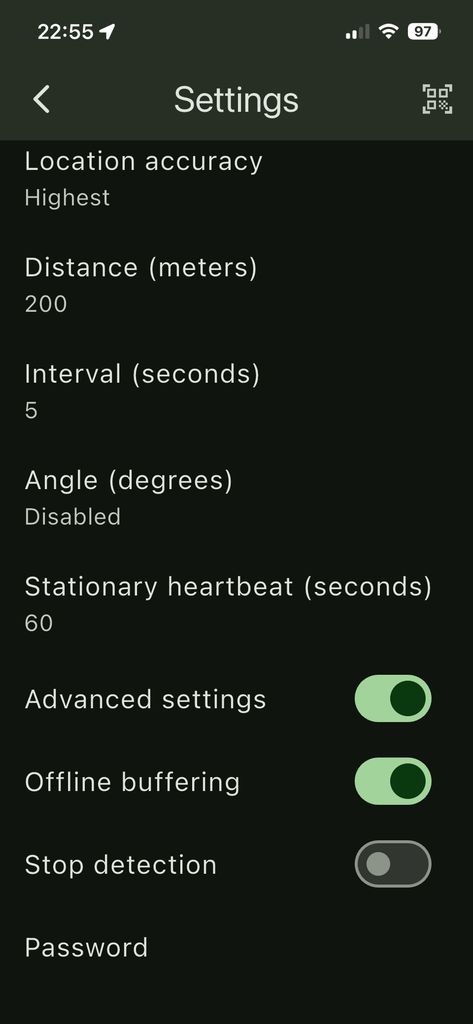
How is the application set up?
For me:
Location accurary: Highest
Distance: 200
Interval: 5
Angle: Disabled
Heartbeat: 60
Offline buffering: ON
Stop Detection: Off
For me, reinstalling solved the problem.
my settings:
Location accuracy: High
Distance: 10 meters
Heartbeat: 120 seconds
Offline buffer: Enabled
Stop detection: Disabled
Fastest interval: This setting no longer exists in the current version.
all other like Angle,... I do not see in iOS
How is it possible that you have different menu items in the same version?

Which menu items are different?
Yesterday I recognised that when I changed accuracy from high to highest the additional parameter like angle or interval appeared
Interval was set per default to 300 seconds the mentioned 5 minute interval I see in the logs
May this parameter are also active in accuracy mode high even when they are not shown
I will test today
Short feedback
When I use accuracy highest it looks like that it works
In case I switch back to accuracy high I see again the 5 minute interval in the logs and in the upload
What are the full settings? And what exactly is in the logs?
Then it probably wasn't the reinstallation that solved the problem for me either, but the fact that I also changed the accuracy from High to Highest.
Previously, there were only three options: Low, Medium, High.
In the new program, the interval value is 300, but we don't see this unless we set the accuracy to Highest. But how were we supposed to know this?
Does it really make sense to have 4 options within the Accuracy menu? I guess everyone has it set to the most accurate one anyway.
These are the settings with Location Accuracy set to Highest.
With this configuration, the app use the parameters shown below, resulting in location updates every 10 meters / max. every 2 seconds,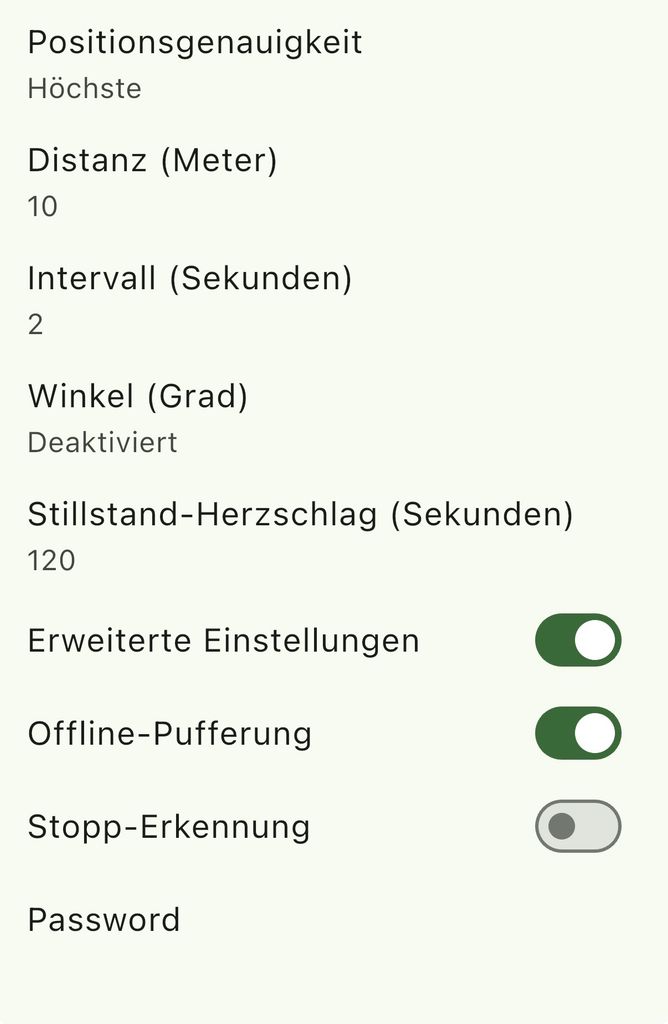
These are the settings with Location Accuracy set to High.
With this configuration, the Distance setting appears to be ignored, as I only receive a location update approximately every 300 seconds, regardless of movement.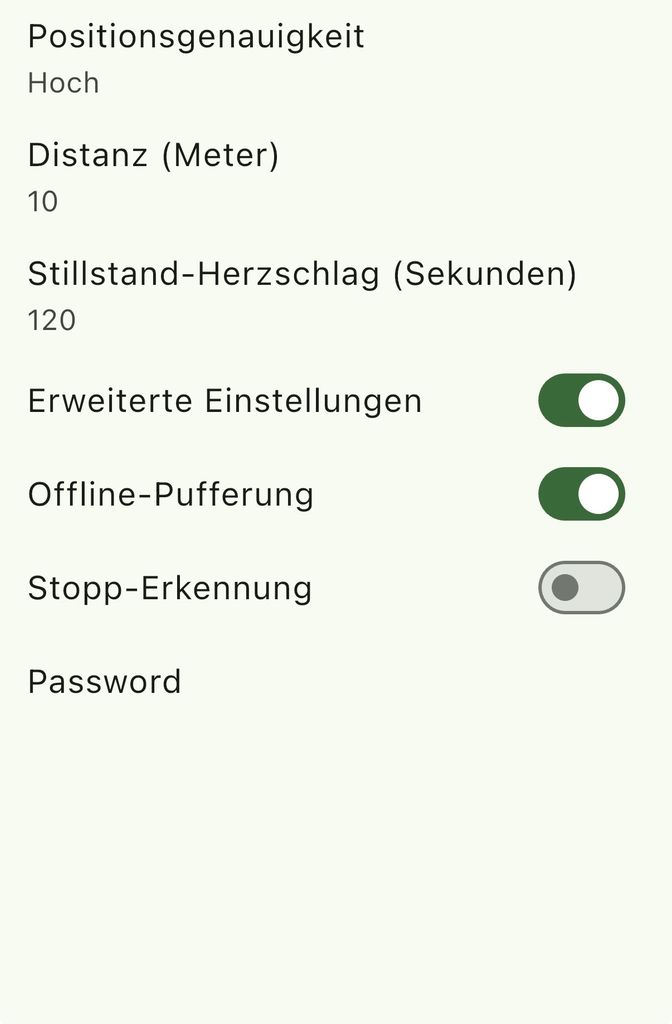
Both Android and iOS systems take those parameters as suggestions, so it's not guaranteed values.

Hi team,
I am facing an issue where location tracking stops completely whenever the Traccar Client app is swiped away / removed from the background (App Switcher/Recent Apps) on iOS.
Once closed from the App Switcher, the server marks the device offline and no updates are sent until the app is manually reopened.
Is there any recommended configuration, background service mode, or workaround available on iOS to keep tracking active 24/7 even if the app is removed from the recent apps list?
Thanks!
By removing from recents you're effectively killing the app.
It works flawlessly for me, I don't close the application, it runs in the background. Since I opened this topic, I changed phones, now it works on an iPhone 17 pro. I see there's a new SOS button (&alarm=sos) That's good. :) There could also be a button called "send POI" That way you could mark places so you don't have to search for them on a map later. And I think the SETTINGS text and the server address don't need to appear on the main screen, that would be enough within the change settings settings.
I understand now. Thank you very much!