Major Traccar Client update


Good job Anton, I'll test it in the next weeks.

A propos de la dernière mise à jour, pouvez-vous m'indiquer quel est est le rythme des mises à jour ? Sont-elles toujours essentielles ? Faut-il toujours avoir la dernière version de l'application pour un bon fonctionnement ?

Something like an option to automatically switch, for example, from medium to high accuracy when the device switches from WiFi to mobile data could help alleviate the battery drain on devices without Google Play, assuming a device is unlikely to be on WiFi when in motion.

Hello. I am testing the new version since a few days in different devices. It works better than the current one. On a Samsung S25 ist works good and it runs without stopping or connection loss.
But on my fairphone 6 with e/OS the background service permanently stops. I activated everythings as descriped. Accurate Position, accu settings, developer settings, and so on. I added an exception in adaway for the traccar client and server. But i always have to start the client service manually every 15 minutes when i want to track my position. Do you known what i can be?
Check if you can find details about your phone here:
The complete checks are done. I got full 100℅ with dontkillmyapp benchmark. When i check the background services in the developer options it shows that the client process is running since hours. Today i switched to the old Client and made a few walks. The distance between the tracking Pointe is very hight. It works all the time and didn't stop. The heartbeat and wakelock working. Then i switched to your new apk. The client runs for hours at home. The i started a walk. The points where send every second and are very precise. Why that high rate?
BUT after 3 Minutes it stopped the tracking without any log entry.
When i checked the logs it started again. Is there perhaps a memory problem? When i open the logs with very much entries the client crashes often.
I really like the excelent accuracy but something happens and the tracking stops. My fairphone with e/OS works with microg. My other test Samsung s20 works with lineageos with Google.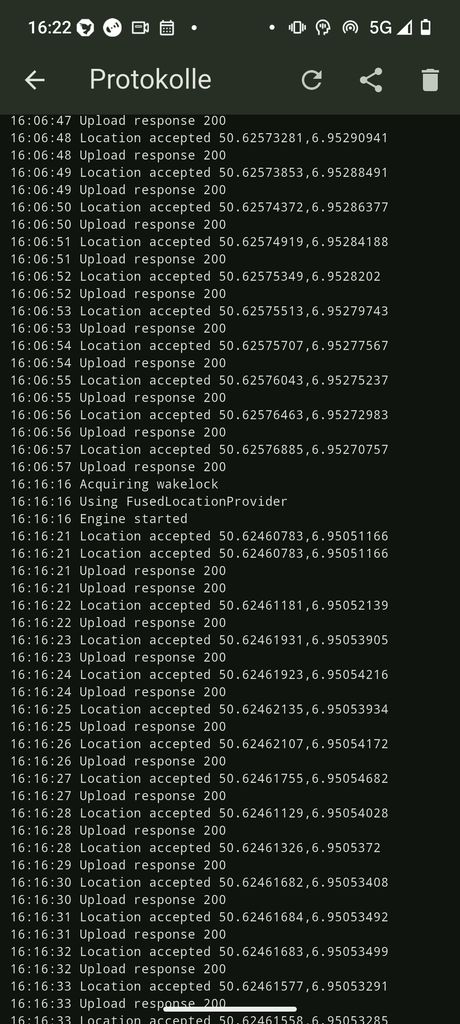
I recommend waiting for another version. There are some more big changes we want to land soon.
Next walk
Start the movement and change location. 16:50 the log shows aquiring wakelock
Stopps tracking unexpected when i am arriving at home: 16:58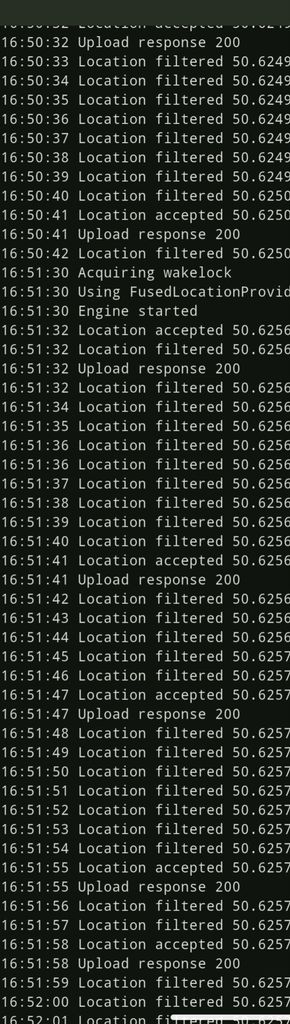
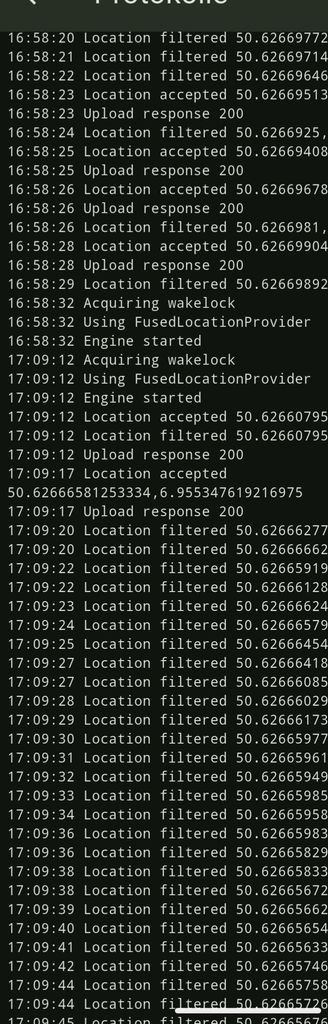
Please check my previous message.
Another update. Hopefully this is very close to the final version:
https://traccar.nyc3.digitaloceanspaces.com/download/app-release.apk
Please try and provide feedback.
Thank so much. Great idea to use the device position. Since installation very stable. No crashes on my fairphone. First walk tracking is very stable and accurate. At home only very small position jumps.
Amazing performance. Now i will test the energy consumtion.

Are you also updating the iPhone client?
iOS version is also ready for testing:

Can I request the "Fastest Interval" setting be added back to the client? Driving slowly today (10-20 mph) was causing two location updates PER second to be uploaded. Thanks!
I was also thinking about it. Probably later as an advanced option.