Major Traccar Client update


I understand that enabling offline buffering would technically solve this scenario, but it is not always the ideal solution.
The main reason is that, if a user has been moving while offline for an extended period, reconnecting to the internet causes the client to upload every buffered location update. This can result in a large burst of requests being sent to the server.
For many deployments, this is unnecessary because the server is only interested in the user's current location, not the entire path they took while offline. Uploading dozens or even hundreds of historical positions consumes bandwidth, increases server load, and provides little value in those cases.
An alternative approach could be to add an option that, upon reconnecting, only retries sending the last known location instead of the entire offline buffer. This would keep the server synchronized with the device's current position without flooding it with historical updates.
Including the current coordinates in the heartbeat request would also solve this problem. As soon as the device reconnects and sends its first heartbeat, the server would immediately receive the user's latest location, even if all intermediate location updates were missed while the device was offline.
I would recommend splitting it into a separate feature request on GitHub.
Why would the coordinates be outdated in a heartbeat. The user is stationary anyways so the coordinates shouldn't be different, right?
Ok fair enough. Can be splitted into a new github feature request. Will try to do it later on. Thanks
Github issue created. You have created the best open source mobile software based gps tracker in the world BY FAR in my opinion, specially after the in house sdk that you recently created, so why stop short of a perfect app because of something so small and easy to fix?! . I would really appreciate if you considered this github issue. Thanks

Hi Anton.
I'm giving this new version a try now. I see a new "Use system location" flag. I noticed on Page 3 that it's discouraged without knowing what it does. Do you mind sharing how it works, and how any of the low, medium, high, highest flags affect the location provider in this version?
Thanks!
It disables Google Play service location and instead falls back to standard Android location provider.

La nouvelle version sur Play Store est-elle sortie ?
Je viens de télécharger la version 10.0.0 sur une tablette
Yes.

Is version 10 on the Play Store the "new" Traccar client we have been beta testing? The settings and log pages of v10 look like the new client. (Sorry if I missed an announcement somewhere)
Yes.

On the iPhone version, my testing went well with build 138 (except it seems to do Stop Detection even when that was turned off).
With build 140 and the v10 prod release I've found that the app will often stop doing anything after a period (no positions reported and no log entries, sometimes after 20 minutes, sometimes longer). Using the phone 'wakes it up' again and it sends positions for a while then stops again. This has occurred on the two iPhones that I've tested.
I reinstalled build 138 from Testpilot and noticed that the default permissions include 'Motion and Fitness' but this does not appear as an option with the later builds.
Is it possible this permission helps keep the app awake (or stops iOS from killing it)? If not, any other suggestions to make it work?
Thanks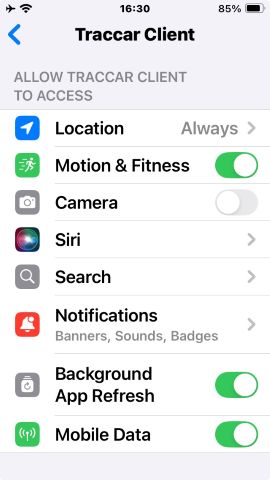
What are the last log messages you see before it stop reporting?

Hello. The traccar client doesn't work at all for me. I use it on an iPhone, with my own server. It worked a few days ago, but today it doesn't upload anything to the server. In the server log, you can see that it uploads a NULL value in the POST. What happened?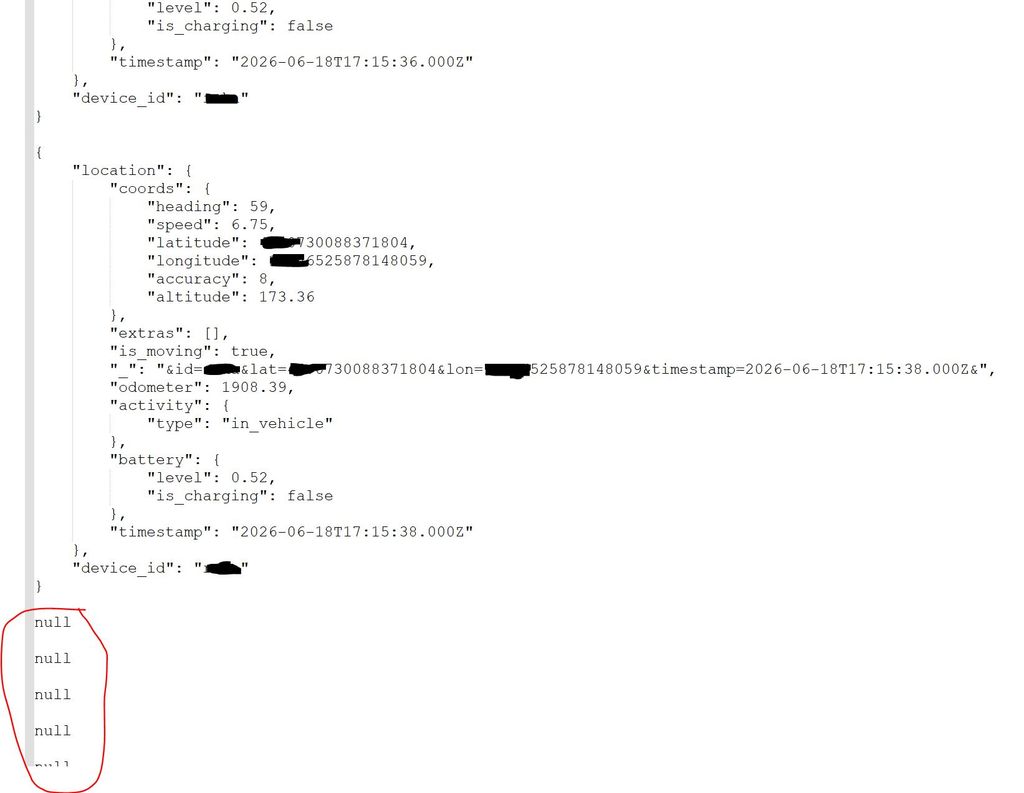
This will only happen if you have buffering disabled, which I won't recommend doing.
The main issue with including coordinates is that they might be outdated, but the time will be new, which results in potentially false information to the end user.